

In This Article
Your living room is the one room in the house that has to do everything. It’s where you binge a show at midnight, host in-laws on a Sunday, and somehow also get actual reading done in an armchair nobody else is allowed to sit in. Regular bulbs can’t keep up with that kind of shape-shifting, which is exactly why smart bulbs for living room setups have become the quiet MVP of home upgrades this year.
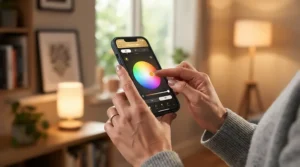
So, what is a smart bulb, really? It’s a Wi-Fi or Bluetooth-connected LED that you control from a phone app or voice assistant instead of a wall switch, letting you dim, tint, schedule, or color-shift the light without touching a single toggle. That single shift — from “flip a switch” to “tell a room what mood to be in” — is why the FTC even created Lighting Facts labels back in 2010 to help people compare bulbs, and why the category has only gotten more interesting since.
Prices have also dropped hard. Four-packs that once ran $200 now sell for a fraction of that, and most 2026 releases speak Matter, meaning they no longer demand a proprietary hub just to say hello to Alexa. The real challenge isn’t finding a smart bulb anymore. It’s figuring out which one of the dozens on shelves actually fits your ceiling height, your Wi-Fi router, and your patience for app setup. This guide breaks down seven real, currently available options — bulbs, a chandelier bulb, and a floor lamp — so you can stop scrolling and start dimming.
Quick Comparison Table
| Product | Best For | Brightness | Hub Needed | Price Range |
|---|---|---|---|---|
| Philips Hue White and Color Ambiance A19 | Whole-room smart ecosystems | ~1,100 lumens | Optional (Bridge for full features) | $50–$65 |
| TP-Link Tapo L535E | Brightest single bulb on a budget | ~1,100 lumens | No | $15–$25 |
| LIFX Color A19 | No-hub setup with strong color | ~800 lumens | No | $35–$50 |
| Govee RGBWW Smart BR30 (H6010) | Recessed lighting & large rooms | ~1,200 lumens | No | $20–$30 |
| WiZ Connected Color A19 | Budget-friendly app control | ~800 lumens | No | $12–$20 |
| Feit Electric Filament Chandelier Bulb | WiFi enabled chandelier fixtures | ~350–450 lumens | No | $15–$20 per bulb |
| Philips Hue Signe Gradient Floor Lamp | Voice controlled floor lamps & accent lighting | Up to ~2,550 lumens | Optional (Bridge for automations) | $250–$400 |
Looking at the spread, the pattern is pretty clear: TP-Link Tapo L535E and Govee RGBWW Smart BR30 punch above their price for raw brightness, while Philips Hue White and Color Ambiance A19 and the Philips Hue Signe Gradient Floor Lamp trade a higher price for the deepest smart home compatibility and the most polished app experience. If your living room is doing double duty as a home theater, the gradient floor lamp’s color-blending trick is honestly hard to replicate with standard bulbs, table lamp or not.
💬 Just one click — help others make better buying decisions too!😊
Top 7 Smart Bulbs for Living Room: Expert Analysis
1. Philips Hue White and Color Ambiance A19 — deepest smart home compatibility
The Philips Hue White and Color Ambiance A19 is the bulb people mean when they say “just get Hue.” It’s not the cheapest option here, and it doesn’t try to be.
Specs first: it reaches roughly 1,100 lumens at 2700K with a CRI above 92, and a color range spanning a warm 2000K candlelight tone up to a crisp 6500K daylight white. In practice, that CRI number matters more than most buyers realize — it means skin tones and wood furniture in your living room actually look natural under this bulb instead of slightly waxy, which is a common complaint with cheaper RGB bulbs pushed to full brightness. On top of that, the bulb now supports the Matter protocol directly, so it works with Apple Home, Google Home, Amazon Alexa, and Samsung SmartThings even without the separate Hue Bridge, though the Bridge still unlocks extras like entertainment sync and outdoor sensors.
Who is this for? Honestly, anyone planning to eventually own more than three or four smart bulbs. Based on the spec comparison, the Hue app’s grouping and automation tools are noticeably more mature than the budget competition, which matters once you’re juggling a dozen fixtures instead of one lamp. Reviewers consistently note the Adaptive Lighting feature — which auto-adjusts color temperature through the day — as the sleeper favorite once people actually try it.
Pros:
- ✅ Matter support removes the mandatory hub requirement
- ✅ Excellent color accuracy for a natural-looking room
- ✅ Mature app with scenes, groups, and automations
Cons:
- ❌ Costs noticeably more than WiFi-only competitors
- ❌ Full feature set still favors owning the Hue Bridge
Prices sit in the $50–$65 range at the time of research, and given the ecosystem depth, it’s a fair value verdict for anyone building toward a full smart living room rather than a single lamp.

2. TP-Link Tapo L535E — brightest budget bulb for a primary light
Most smart bulbs cap out around 800 lumens, which is fine for a side table lamp but underwhelming as your living room’s only light source. The TP-Link Tapo L535E breaks that ceiling.
This bulb hits 1,100 lumens, a 75-watt incandescent equivalent, meaning it can genuinely serve as a room’s main light rather than just mood lighting. What most buyers overlook about this model is that brightness alone doesn’t guarantee even coverage — beam angle does — and reviewers testing it alongside less-bright competitors found it doubled the light output of typical smart bulbs, enough that two of them replaced four standard smart bulbs in a mid-size room. That’s a meaningful upgrade if your living room has one central fixture instead of several lamps.
Here’s what to weigh: this is a WiFi-only bulb, meaning no Zigbee or Thread mesh networking, which keeps setup dead simple but means every bulb talks directly to your router. For a living room with four or five bulbs, that’s a non-issue. For a whole-home rollout of thirty-plus devices, a mesh protocol handles congestion better. Aggregated reviews frequently praise the price-to-brightness ratio and flag the Tapo app as serviceable but less polished than Hue’s.
Pros:
- ✅ Genuinely bright enough to be a primary light source
- ✅ No hub required, connects straight to 2.4GHz WiFi
- ✅ Excellent price relative to raw lumen output
Cons:
- ❌ WiFi-only can strain routers with many devices
- ❌ App lacks some of Hue’s advanced automation depth
At $15–$25, this is the pick for anyone whose main complaint about their living room is simply “it’s too dim.”
3. LIFX Color A19 — no-hub color bulb with real punch
The LIFX Color A19 has built its whole identity around one pitch: screw it in, skip the hub, get color immediately. It mostly delivers.
This bulb reaches around 800 lumens, a wide beam angle, and voice compatibility with Alexa, Apple HomeKit, and Google Assistant right out of the box over 2.4GHz WiFi. The color range runs impressively wide too — 16 million colors across a 2700-8000K white temperature range, built on open networking standards rather than a proprietary walled garden. On paper this means better long-term compatibility as your smart home ecosystem shifts over the years, since you’re not locked into one manufacturer’s bridge hardware.
Based on the spec comparison against the Hue A19, LIFX trades a bit of color accuracy and app polish for genuine hub-free simplicity — you truly can just screw it in and talk to it. Reviewers consistently note LIFX bulbs tend to measure brighter in practice than their box specs suggest, and one long-term owner noted the bulb “had an A60 I was very happy with” before adding a second unit for a matching setup — a small but telling signal of repeat-purchase satisfaction. This is the pick for renters or anyone who doesn’t want extra hardware cluttering a media console.
Pros:
- ✅ No hub required for full color and app control
- ✅ Wide color range with strong out-of-box brightness
- ✅ Built on open, future-proof networking standards
Cons:
- ❌ Slightly less color accuracy than premium Hue bulbs
- ❌ App ecosystem less mature for large multi-room setups
At $35–$50, it sits in mid-range territory — pricier than Tapo, but you’re paying for the no-hub convenience and color depth.
4. Govee RGBWW Smart BR30 (H6010) — best for large or recessed living rooms
If your living room has recessed BR30-style cans instead of a lamp-friendly A19 socket, most guides quietly skip you. The Govee RGBWW Smart BR30 doesn’t.
This bulb delivers 1,200-lumen-level brightness suited to larger rooms or vaulted ceilings, with 16 million colors, tunable whites from 2700K to 6500K, and full dimming. The wide beam profile matters here more than the lumen count — BR30 fixtures are typically mounted higher and spaced further apart than table-lamp bulbs, so a narrow beam angle would leave dark pools between fixtures. Reviewers note the Govee Home App’s 50-plus scenes, timers, and schedules, plus Alexa and Google Assistant hands-free control over WiFi or Bluetooth, hold up well even when running six or eight bulbs across a large open-plan living space.
What the spec sheet won’t tell you, but reviewers note, is that Govee’s music-sync feature is a genuinely fun party trick for movie nights, syncing color shifts to on-screen action or a playlist — though like most sync features, it works best when you don’t over-rely on it as your main color mode. This is the pick for buyers with cathedral ceilings, open floor plans, or a living room that also functions as an occasional home theater.
Pros:
- ✅ Strong brightness built for large or high-ceiling rooms
- ✅ Wide beam angle avoids dark spots between cans
- ✅ Feature-rich app for the price point
Cons:
- ❌ BR30 shape only fits recessed or can-style fixtures
- ❌ Bluetooth-only mode has shorter range than WiFi
Priced around $20–$30, it’s arguably the best value pick here for anyone with recessed lighting specifically.
5. WiZ Connected Color A19 — simplest app-controlled fixture upgrade
Not everyone wants sprawling scene libraries. Sometimes you just want the light to turn on when you say so, from an app that doesn’t require a manual. The WiZ Connected Color A19 is built for that buyer.
Independent testing across several current smart bulbs ranked the WiZ Connected Color as the top pick specifically for buyers who primarily want app-controlled fixtures without a steep learning curve, alongside more premium picks aimed at bigger budgets. Based on the spec comparison, WiZ bulbs generally land in the ~800 lumen tier common to this price bracket, with tunable white and full RGB color, and connect directly over WiFi with no bridge hardware required — a straightforward setup that mirrors the no-hub convenience of Tapo and LIFX.
Here’s what to weigh: WiZ leans hard into simplicity over depth. You won’t get the granular automation rules or entertainment-sync features power users chase in Hue. What most buyers overlook is that this is actually the point — for a living room lamp or two that just needs reliable on/off, dimming, and the occasional color-changing party mode, WiZ removes friction rather than adding features nobody uses. Reviewers consistently describe the setup process as genuinely fast, often under two minutes per bulb.
Pros:
- ✅ Fast, low-friction app setup for casual users
- ✅ No hub needed, straightforward WiFi connection
- ✅ Budget pricing keeps multi-bulb rooms affordable
Cons:
- ❌ Fewer advanced automation options than Hue or Govee
- ❌ Color accuracy trails premium bulbs at max brightness
At $12–$20, it’s one of the least expensive true color bulbs on this list, which makes it an easy first step into smart lighting.

6. Feit Electric Filament Chandelier Bulb — best WiFi enabled chandelier option
Chandeliers and multi-bulb fixtures are the awkward stepchild of smart lighting — most guides assume you’re screwing a single A19 into a lamp, not outfitting six candelabra sockets. The Feit Electric Filament Chandelier Bulb solves that gap directly.
This is a genuine WiFi enabled chandelier bulb built on a small E12 candelabra base, delivering a 40-watt equivalent output while only drawing 33 watts, controllable from anywhere through the Feit Electric app, with compatibility for both Alexa and Google Assistant voice commands and no separate hub required. The 2700K soft white color temperature is a deliberate choice rather than a limitation — it’s designed to mimic a standard incandescent bulb’s warm, cozy character, which suits the decorative role chandeliers usually play in a living or dining space far better than a stark daylight tone would.
What most buyers overlook about chandelier bulbs specifically is that group control matters more here than anywhere else in this list — nobody wants to individually rename six identical bulbs in an app. Fortunately, the app supports scheduling entire fixtures as one group, syncing to sunrise and sunset automatically. Reviewers and buyers aggregated on retail listings consistently praise the reliable 2.4GHz WiFi connection and the 25,000-hour rated lifespan, alongside FCC and CEC Title 20 compliance, which matters for anyone in states with stricter lighting efficiency rules.
Pros:
- ✅ Purpose-built for candelabra-base chandelier fixtures
- ✅ Warm 2700K tone suited to decorative ambiance
- ✅ Group scheduling ideal for multi-bulb fixtures
Cons:
- ❌ Lower per-bulb lumen output than standard A19 bulbs
- ❌ Buying six-plus bulbs for one chandelier adds up fast
At roughly $15–$20 per bulb, budgeting for a full chandelier means pricing the fixture, not the bulb, which is worth factoring into your total cost before checkout.
7. Philips Hue Signe Gradient Floor Lamp — premium voice controlled floor lamp
Every list needs one aspirational pick, and the Philips Hue Signe Gradient Floor Lamp earns its spot honestly rather than as filler.
This is a genuinely different product category from a bulb — a slim, freestanding fixture that blends multiple colors within a single lamp for a gradient effect rather than one flat hue. Light output reaches up to roughly 2,550 lumens at 4000K, or around 1,800 lumens at a warmer 2700K, with Bluetooth control straight out of the box via the Philips Hue app on iOS and Android. As a voice controlled floor lamp, it’s built for exactly that use case: simple voice commands work through Amazon Alexa, Apple HomeKit, or Google Assistant once paired.
Reviewers consistently single out the gradient effect as the standout feature — one aggregated review described being able to take a picture and have the light match the colors from it, calling the setup easy and the look stylish. On paper this means the lamp does something genuinely hard to replicate with standard bulbs: painting a wall with a smooth blend of two or three colors instead of one uniform tone, which is a noticeably different visual effect for movie nights or ambient evening lighting. The tradeoff, honestly, is straightforward: Bluetooth alone controls up to 10 lights instantly in a single room, but a separately sold Hue Bridge is required to unlock full automations, out-of-home control, and Apple HomeKit compatibility.
Pros:
- ✅ Unique multi-color gradient effect other lamps can’t match
- ✅ Voice control works with all three major assistants
- ✅ Sturdy, minimalist design suited to modern living rooms
Cons:
- ❌ Full features require the separately sold Hue Bridge
- ❌ Premium price puts it well above standard floor lamps
At $250–$400 depending on finish, this is a splurge — but as an accent piece that replaces both a floor lamp and a color-changing light show, the value case holds up for design-focused buyers.
Top 7 Products: Detailed Comparison
| Product | Type | Connectivity | Color Range | Smart Home Compatibility |
|---|---|---|---|---|
| Philips Hue White and Color Ambiance A19 | A19 bulb | WiFi/Zigbee/Matter | 16M colors | Alexa, Google, Apple, SmartThings |
| TP-Link Tapo L535E | A19 bulb | WiFi only | Tunable white + color | Alexa, Google, Matter |
| LIFX Color A19 | A19 bulb | WiFi | 16M colors, 2700-8000K | Alexa, Google, HomeKit |
| Govee RGBWW Smart BR30 | BR30 bulb | WiFi/Bluetooth | 16M colors | Alexa, Google |
| WiZ Connected Color A19 | A19 bulb | WiFi | Tunable white + color | Alexa, Google |
| Feit Electric Filament Chandelier Bulb | E12 candelabra | WiFi | 2700K warm white | Alexa, Google |
| Philips Hue Signe Gradient Floor Lamp | Floor lamp | Bluetooth/Matter (bridge) | Gradient, 16M colors | Alexa, Google, Apple |
Read together, the table makes the tradeoff pattern obvious: bulbs that skip a hub (Tapo, LIFX, WiZ, Govee, Feit) win on setup simplicity and price, while Philips Hue White and Color Ambiance A19 and the Philips Hue Signe Gradient Floor Lamp trade upfront simplicity for deeper long-term ecosystem compatibility. If you already own an Echo or Nest and don’t plan to expand past a handful of bulbs, the no-hub column is your entire shopping list.

Practical Usage Guide: Setting Up Smart Bulbs the Right Way
Getting a smart bulb glowing is easy. Getting it to behave like an actual upgrade, rather than a slightly fancier light switch, takes a bit more care.
Start with your router before you even open the box. Most smart bulbs, including every WiFi model on this list, only connect to 2.4GHz networks, not the 5GHz band your laptop probably prefers. If your router broadcasts a combined network name, you may need to briefly split the bands during setup, then let your bulb rejoin the combined network afterward. This single step causes more first-time setup failures than any other, according to aggregated user reports across retail listings.
Once connected, resist the urge to leave every bulb on its default “daylight” white — it’s rarely the setting you’ll want for evening relaxation. Spend ten minutes creating two or three saved scenes (a warm “movie night” dim, a brighter “cleaning” mode, a neutral “reading” white) rather than manually adjusting sliders every time. For chandelier or multi-bulb fixtures specifically, group the bulbs in the app immediately, before naming them individually — trying to rename six identical entries after the fact is a genuinely tedious afternoon.
A common first-30-days mistake is over-scheduling: setting automations for every hour of the day, then getting annoyed when a “good morning” scene fires while you’re still asleep on a weekend. Start with sunrise/sunset-based rules only, which most apps calculate automatically from your location, and layer in stricter schedules once you know your actual routine.
Real-World Scenarios: Which Smart Bulb Fits Your Living Room
Picture three different living rooms, because the “best” bulb genuinely depends on which one is yours.
The apartment renter with one lamp. No recessed cans, no chandelier, just a floor lamp and maybe a table lamp flanking the couch. Budget is tight, and nobody wants to explain a bridge hub to a landlord. The WiZ Connected Color A19 or LIFX Color A19 both fit here — no extra hardware, fast setup, and enough brightness for a single-lamp room.
The family with a large open-plan living-dining space. High ceilings, recessed can lighting, and a TV wall that hosts movie nights most weekends. This is where Govee RGBWW Smart BR30 earns its keep, paired with Philips Hue White and Color Ambiance A19 bulbs in the side lamps for consistent tone-matching across fixtures, all synced through Matter.
The design-conscious buyer with a statement chandelier and an empty corner begging for a floor lamp. Here, the Feit Electric Filament Chandelier Bulb set handles the overhead fixture with warm, cohesive light, while the Philips Hue Signe Gradient Floor Lamp becomes the room’s actual conversation piece in the corner.
✨ Don’t Miss These Exclusive Deals!
🔍 Take your living room lighting to the next level with these carefully selected products. Click on any highlighted item to check current pricing and availability — these picks will help you create the ambiance your family will actually enjoy every evening.
How to Choose Smart Bulbs for Living Room
Shopping for smart bulbs for living room use comes down to five real decision points, not fifty marketing bullet points.
- Check your fixture’s bulb base first. A19 for standard sockets, BR30 for recessed cans, E12 for candelabra chandeliers — buying the wrong shape is the single most common return reason.
- Decide if you’ll tolerate a hub. WiFi-only bulbs skip hardware but can crowd a router past a dozen devices; Zigbee or Matter-over-Thread bulbs scale better for whole-home setups.
- Match brightness to room size and ceiling height. A 12×14 living room with 8-foot ceilings rarely needs more than 800-1,100 lumens per fixture; vaulted ceilings justify the 1,200-lumen BR30 tier.
- Confirm your voice assistant is actually supported, not just “smart home compatible” in vague marketing copy — cross-reference the specific Alexa, Google, or HomeKit listing on the product page.
- Budget for the whole fixture, not one bulb, especially with chandeliers where six sockets multiply the sticker price fast.
- Consider color accuracy (CRI) if the room doubles as a workspace — a low CRI bulb can make skin tones and photos look subtly off under close inspection.
- Read aggregated review themes, not star ratings alone — a 4.3-star bulb with consistent complaints about app lag tells you more than a 4.6-star bulb with no detailed reviews at all.
WiFi Enabled Chandelier vs Standard Smart Bulbs
A WiFi enabled chandelier setup and a standard A19 smart bulb solve genuinely different problems, even though both technically fall under “smart lighting.”
Standard A19 bulbs are built for single-socket fixtures — lamps, overhead single-bulb ceiling fixtures, and pendant lights. They prioritize maximum lumens per bulb and typically ship with full RGB color ranges, since one bulb is expected to carry the whole room’s mood lighting. A chandelier bulb like the Feit Electric candelabra model takes the opposite approach: lower per-bulb brightness, because the fixture itself provides six, eight, or ten of them working together, and a fixed warm-white tone rather than shifting RGB, since chandeliers are typically decorative rather than the room’s primary functional light source.
| Factor | Standard A19 Smart Bulb | WiFi Enabled Chandelier Bulb |
|---|---|---|
| Typical brightness | 800–1,200 lumens | 350–450 lumens per bulb |
| Color range | Usually full RGB | Usually fixed warm white |
| Bulb base | E26/E27 | E12 candelabra |
| Best For | Lamps, single-socket fixtures | Feit Electric Filament Chandelier Bulb |
The analysis here matters for budgeting as much as function: buying six of the wrong-shaped bulb for a chandelier is a wasted order, and buying a single chandelier bulb expecting living-room-filling brightness will leave you disappointed. Match the bulb type to the fixture’s actual job, not just its socket count.
Voice Controlled Floor Lamps for Living Room
Voice controlled floor lamps occupy a strange middle ground between “lighting” and “furniture,” and that dual identity shapes what actually matters when shopping for one.
Unlike a bulb you screw into an existing lamp, a fixture like the Philips Hue Signe Gradient Floor Lamp is purpose-built as one unit — the light source, diffuser, and stand are all engineered together, which is why it can do things a standalone bulb can’t, like blending multiple colors into a single smooth gradient across its length. Voice control setup happens through the Hue app itself, using simple commands with Alexa or Google Assistant once configured, and reviewers frequently mention that the slim, minimalist silhouette makes it far less obtrusive than older-generation smart floor lamps that looked distinctly like tech gadgets rather than furniture.
The practical tradeoff to weigh before buying: Bluetooth-only control works fine for a single room, but Reviewers consistently note that unlocking full voice automation routines (not just basic on/off commands) benefits from adding the separately sold Hue Bridge. If your main goal is simply “turn the lamp on by voice when I walk in,” Bluetooth alone handles that. If you want the lamp to sync with sunset schedules, other Hue fixtures, or away-from-home control, budget for the Bridge as part of the real total cost.
Common Mistakes When Buying Smart Bulbs for Living Room
The most expensive mistake buyers make isn’t overspending — it’s under-researching fixture compatibility. Ordering a case of A19 bulbs for what turns out to be a BR30 recessed fixture, or six standard-base bulbs for a candelabra chandelier, means a return shipment and a delayed project.
The second common misstep is ignoring the 2.4GHz WiFi requirement entirely, assuming any modern router “just works.” Many households have already migrated to a WiFi 6 network broadcasting primarily on 5GHz, and forgetting to check for a 2.4GHz option leads to a frustrating hour of bulbs blinking without connecting. Third, buyers frequently underestimate how many bulbs a WiFi-only setup can comfortably handle before router congestion becomes noticeable — a handful of bulbs is fine, but a whole-home rollout of thirty-plus fixtures is where a mesh-capable protocol like Zigbee or Thread starts to matter. Finally, plenty of shoppers buy purely on lumen count, missing that beam angle and CRI shape how a room actually feels far more than the number on the box.
Home Automation Lighting: Building a Connected Living Room
Home automation lighting stops being a novelty and starts being genuinely useful the moment it’s tied to routines instead of manual taps. A living room that dims automatically when a TV app launches, or that shifts to a warm scene at sunset without anyone reaching for a phone, is the actual payoff of going smart in the first place.
The backbone of that experience increasingly runs through Matter, the cross-manufacturer standard developed by the Connectivity Standards Alliance, aimed at letting devices from different brands work together reliably under one certification mark. Matter runs over both WiFi and Thread, using IP as its backbone, which lets manufacturers build products that work across Alexa, Siri, Google Assistant, and other ecosystems without separate proprietary bridges for each one. That’s precisely why several bulbs on this list — the Hue A19, the Tapo L535E, and LIFX’s newer bulbs — now carry Matter certification: it future-proofs your living room against whichever voice assistant you end up actually using two years from now.
Building automation practically means starting small: one “evening” routine that dims lights and shifts color temperature warmer at a set time, expanded gradually as you learn what you actually use versus what sounded good in the app’s demo screen.

App-Controlled Fixtures vs Voice Control: What Actually Matters
There’s a real debate buried in “should I control my lights with an app or my voice,” and it’s less about preference than about use case. App-controlled fixtures win when precision matters — dialing in an exact color temperature, building a multi-step scene, or scheduling a week’s worth of automation rules is simply easier with a touchscreen than a shouted command. Voice control wins for anything you’d otherwise have to walk across the room to do: turning lights off from the couch, or dimming them without pausing whatever you’re doing with your hands.
Reviewers consistently note that the products doing this best don’t force a choice — every bulb on this list supports both an app and at least one voice assistant. The real differentiator is app quality: Hue’s grouping and scene-building tools are noticeably more mature than WiZ’s more basic interface, which matters if you’re the type to build ten different mood presets rather than settling for on, off, and dim.
Smart Home Compatibility Explained: Alexa, Matter, and Beyond
“Smart home compatibility” gets thrown around loosely in product listings, so it’s worth being specific about what it actually guarantees. A bulb listed as “Alexa compatible” typically supports voice on/off and dimming commands at minimum, but deeper features — like Alexa routines that trigger based on other devices — sometimes require the bulb’s own app-based automation layer rather than Alexa’s native scheduling.
Matter changes that equation somewhat by standardizing the baseline feature set across ecosystems, building on Internet Protocol to enable communication across smart home devices, mobile apps, and cloud services with security as a core design principle. In practice, this means a Matter-certified bulb purchased today is less likely to become an orphaned, single-ecosystem device if you ever switch from Alexa to Google Home or Apple Home down the line — a real concern for anyone who’s lived through a smart home platform’s discontinuation before.
Long-Term Cost & Maintenance
The sticker price on a smart bulb is only half the cost conversation — energy savings and bulb lifespan matter over a multi-year horizon. Residential LEDs, particularly ENERGY STAR rated products, use at least 75% less energy and last up to 25 times longer than incandescent lighting, which is exactly the baseline every bulb on this list is built on top of.
Run the math on a typical living room with six fixtures used roughly four hours daily. Swapping incandescent bulbs for LED smart bulbs at this list’s price points typically pays for itself within one to two years purely on the electricity bill, before even counting the convenience value of scheduling and remote control. Chandelier setups amplify this because six to ten smaller bulbs replace what used to be six to ten inefficient incandescent candelabra bulbs — exactly the fixture type where old-school lighting wasted the most energy relative to the light actually produced. Maintenance is minimal across this whole list: no bulbs to physically replace for years, though firmware updates occasionally require a brief re-pairing step, particularly on Matter-certified devices during protocol updates.
Features That Actually Matter (And Those That Don’t)
Marketing copy loves to bury the features that matter under ones that don’t. CRI, beam angle, and 2.4GHz-only connectivity confirmation genuinely affect daily use. A trillion-color marketing claim, by contrast, is mostly meaningless — the human eye can’t distinguish anywhere near that many shades, and the practical color range that matters is really the white-tone spectrum (how warm or cool the “white” settings actually go) plus a handful of saturated colors for accent use.
Similarly, “music sync” features are fun for a party but rarely used daily — worth having, not worth paying a premium for. Scene count is another vanity metric; nobody uses fifty pre-built scenes regularly. Three or four well-chosen custom scenes cover 90% of real living room use. What does matter: confirmed 2.4GHz compatibility, real lumen output (not just wattage-equivalent marketing math), and whether the specific voice assistant you already own is explicitly listed as supported, not just implied by a generic “smart home compatible” badge.
Problem → Solution Guide
Problem: The living room feels dim even with a “bright” smart bulb installed. Check beam angle, not just lumens — a narrow-beam bulb in a wide room creates a hot spot rather than even coverage. The Govee RGBWW Smart BR30 and TP-Link Tapo L535E both favor wider, room-filling beam spreads.
Problem: Bulbs won’t connect during setup. This is almost always the 2.4GHz vs 5GHz WiFi band issue described earlier — temporarily split your router’s bands during pairing, then reconnect.
Problem: Chandelier bulbs look washed-out or clinical instead of cozy. Swap to a fixed 2700K warm-white chandelier bulb like the Feit Electric Filament Chandelier Bulb rather than a full-RGB bulb defaulted to a cool white setting.
Problem: Too many devices are slowing down the home WiFi network. Consider a Matter-certified bulb that can route over Thread, or split smart devices onto a dedicated guest network band if your router supports it.
Problem: Voice commands work but automations feel clunky. This usually points to a missing hub — bulbs like the Hue A19 and Signe floor lamp unlock their full automation depth only once paired with a Hue Bridge.
Buyer’s Decision Framework
If you own a single lamp and want the fastest setup, choose a no-hub A19 bulb like WiZ or LIFX because simplicity outweighs advanced features for a one-bulb room. If you’re outfitting an entire living-dining space with recessed cans, choose the Govee BR30 because beam width and brightness matter more than color depth at that scale. If you already own multiple Hue products or plan to expand your smart home over several years, choose the Hue ecosystem because long-term compatibility and automation depth compound in value over time. If your fixture is a chandelier, choose a purpose-built candelabra bulb because standard A19 bulbs simply won’t fit the socket.

Frequently Asked Questions
❓ Do smart bulbs for living room use need a hub?
❓ Are Alexa compatible living room lights hard to set up?
❓ Can I put a smart bulb in a WiFi enabled chandelier?
❓ How bright should smart bulbs for living room ceilings be?
❓ Do voice controlled floor lamps work without WiFi?
Conclusion
There isn’t one universally “best” smart bulb for a living room, and honestly, that’s good news — it means the market has finally specialized enough that your specific ceiling, fixture, and patience level all have a real answer. Budget-minded renters with a single lamp are well served by the no-hub simplicity of LIFX or WiZ. Families with recessed lighting and vaulted ceilings should look hard at Govee’s brighter BR30 option. Anyone building toward a genuinely automated home, chandelier and all, gets the most long-term mileage from the Hue ecosystem paired with a purpose-built chandelier bulb.
What ties all seven picks together is that none of them ask you to compromise on the basics anymore — real brightness, real color accuracy, and real voice assistant support are now standard even at the budget end. The only real homework left is matching bulb shape to fixture, checking your router’s WiFi band, and deciding how much automation depth you actually want to build toward. Get those three things right, and the rest is just choosing a mood.
Recommended for You
- 7 Living Room Too Dark Solutions That Actually Work In 2026
- How To Layer Living Room Lighting: 7 Genius Picks (2026)
- Warm White vs Cool White Lighting: 7 Best Picks For 2026
Disclaimer: This article contains affiliate links. As an Amazon Associate, I earn from qualifying purchases. If you purchase products through these links, we may earn a small commission at no additional cost to you.
✨ Found this helpful? Share it with your friends! 💬🤗
