
In This Article
A wireless motion sensor closet light is a battery-powered, usually rechargeable LED fixture that switches on when its built-in sensor detects movement and shuts off after a short delay. It mounts with magnets or adhesive instead of wiring, so most people can set one up in minutes without tools or an electrician.

You know the scene. You open the closet door at 6:40 a.m., the overhead bulb in the bedroom throws a long shadow across the shelves, and you’re blindly patting a rack of near-identical black sweaters. A wireless motion sensor closet light fixes that for the price of a decent lunch. Walk in, light on. Walk out, light off. No switch, no pull chain, no drilling.
A quick note on how this guide works. I haven’t handled these lights myself, and I won’t pretend otherwise. Everything below comes from spec sheets, published hands-on reviews such as Bob Vila’s 2026 closet lighting roundup, and retailer feedback I could verify. Where the review pool is thin, I’ll say so.
Here’s what we’ll cover: seven real products, how a wireless linkable closet light differs from a standalone one, when a multi-pack wireless motion light makes sense, how a remote-linked closet light system behaves in practice, and the unglamorous but critical details of wireless linking, multi-unit sync and sensor placement.
Quick Comparison: 7 Wireless Motion Sensor Closet Light Options at a Glance
| Product | Best For | Key Spec | Price Tier |
|---|---|---|---|
| MCGOR Under Cabinet Lighting | Easy, no-fuss installs | Magnetic mount, 20-second auto-off | Budget |
| EZVALO 9.06 in. 3-Pack (BD-LY-23-3-WH) | Linkable multi-light setups | Remote, 100 lumens, 3 color temps | Budget to mid |
| Joyzy 3 Pack Automatic Closet Lights | Lighting hanging clothes | Angled design, about 12-second off delay | Budget |
| Reoshine 80 LED Motion Sensor Light | Brightness plus color control | 250 lumens, 3 color temps | Mid |
| BLS 74 LED Under Cabinet Light | Walk-ins and battery life | 260 lumens, 2200mAh | Mid |
| EZVALO 13-inch Curved Bar | Tricky sensor angles | Rotatable sensor head, 90+ CRI | Mid |
| Desunlux Battery-Powered Closet Lights | Dark-only activation | Motion plus ambient light sensors | Mid (sold singly) |
Look at the table and one pattern jumps out. Brightness and battery size split the field, while sensor flexibility and linking split it further. The BLS 74 LED Under Cabinet Light and Reoshine 80 LED Motion Sensor Light deliver the most lumens, but only the EZVALO 9.06 in. 3-Pack (BD-LY-23-3-WH) is flagged as linkable by its retailer. If your closet is a single reach-in, brightness matters more than linking. If you’re lighting a long walk-in, the reverse may be true.
💬 Just one click — help others make better buying decisions too!😊
Top 7 Wireless Motion Sensor Closet Light Picks: Expert Analysis
1. MCGOR Under Cabinet Lighting — the easiest install in this lineup
Bob Vila’s editors named the MCGOR Under Cabinet Lighting their best overall closet pick, citing a solid feel and snap-on magnetic mounting. These bars attach to included magnets, so setup is tool-free. In Auto mode the sensor wakes the light as you enter and turns it off after 20 seconds of stillness, a delay that reviewer called nearly perfect in daily use.
What does that mean for you? Twenty seconds is long enough to find a shoe without waving your arms, but short enough not to drain the battery while you’re back in the bedroom. The lights are dimmable and come in warm or white versions, so you pick your mood before you buy.
Battery life is the honest asterisk. Bob Vila’s tester reported about 10 days per charge, noticeably shorter than the multi-month claims you’ll see elsewhere. Heavy daily traffic likely explains part of that, but plan on a charging routine.
Reviewer sentiment I could verify is positive on build and ease of install. I couldn’t confirm a large pool of owner reviews, so treat this as one editor’s tested impression.
Pros:
- ✅ Tool-free magnetic installation
- ✅ Sensible 20-second auto-off delay
- ✅ Warm or white versions, dimmable
Cons:
- ❌ Roughly 10 days per charge in one test
- ❌ Linking isn’t advertised in what I found
Sits in the budget tier for a two-pack; check current price. Strong value for a first-time buyer.
2. EZVALO 9.06 in. 3-Pack (BD-LY-23-3-WH) — linkable lights with a remote
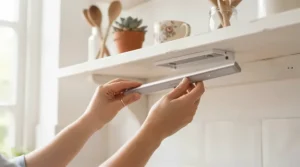
This is the pick for anyone eyeing a wireless linkable closet light. The retailer lists the EZVALO 9.06 in. 3-Pack (BD-LY-23-3-WH) as linkable and expandable, with a remote that switches between on, auto and off. Output is a modest 100 lumens, with 3000K, 4200K and 6500K options and dimming.
Runtime claims are specific: about 8 to 9 hours in always-on mode at full brightness, or 30 to 60 days in auto mode at 10 to 20 twenty-second activations daily. The 1600mAh battery is smaller than some rivals, but auto-mode math is what matters in a closet.
Here’s the catch. The listing flags linking but doesn’t explain the mechanism, so read the installation guide before assuming how it behaves. The Home Depot page also showed only three reviews, averaging 3.3 stars. One praised easy installation and the remote; another complained about order cancellations, which is a retailer issue, not a product one. That is too small a sample to call a verdict.
Pros:
- ✅ Remote control with on/auto/off modes
- ✅ Three selectable color temperatures
- ✅ Linkable, expandable system design
Cons:
- ❌ Only 100 lumens per bar
- ❌ Very small verified review pool
Prices swing with promotions, roughly the $60-$120 range at the time of research. Decent value if you need linking.
3. Joyzy 3 Pack Automatic Closet Lights — angled light for hanging clothes
The Joyzy 3 Pack Automatic Closet Lights earned Bob Vila’s “best motion sensor” label. Like the MCGOR Under Cabinet Lighting, it uses magnetic strips plus 3M adhesive pads, but the housing is angled so light falls onto hanging garments rather than straight down at the floor.
That angle is a quiet design win. A flat downlight washes out the shelf and leaves the rod in shadow, which is exactly where you hunt for shirts. The sensor shuts the lights off after about 12 seconds of inactivity, which the tester found just right. It’s snappier than the MCGOR Under Cabinet Lighting, which saves battery but may click off if you stand very still choosing an outfit.
One limit: you choose color temperature at purchase, so there’s no switching later. Pick warm for bedrooms, cooler for utility closets.
On owner feedback, the listings I found were third-party mirrors with inconsistent review counts, so I won’t cite a rating. The hands-on tester’s impression is the reliable data point here.
Pros:
- ✅ Angled output reaches hanging clothes
- ✅ Three-pack covers multiple zones
- ✅ Magnetic and adhesive mounting
Cons:
- ❌ Color temperature fixed at purchase
- ❌ 12-second delay can feel short
Around the mid-$30s for a three-pack on the listings I saw; check current price. Good value.
4. Reoshine 80 LED Motion Sensor Light — bright, tunable and well-built
Specs first, then what they mean. The Reoshine 80 LED Motion Sensor Light packs 80 LEDs into a 9.8-inch aluminum bar, producing about 250 lumens with three color temperatures (3000K, 4500K, 6000K) and stepless dimming from 10 to 100 percent. A 1800mAh battery is rated for up to roughly 9 hours of continuous use or up to about 4 months in motion mode with typical use.
In practice, 250 lumens means you can read a garment tag, not just avoid walking into a shelf. The four-mode sensor (Night, Day, Always On, Off) is the underrated feature. Night mode keeps the light asleep when the closet door is open to a sunny bedroom, which preserves battery.
Mounting uses N52 magnets and an anti-drop track, so the plate stays put while the bar comes off for charging. That detail matters more than it sounds; fiddly charging is how rechargeable lights end up dead on a shelf.
These numbers come from a spec-driven buying guide, not a lab, and I couldn’t verify a deep owner-review pool. Expect to confirm battery claims against your own usage.
Pros:
- ✅ 250 lumens with even, flicker-free output
- ✅ Four sensor modes including Night
- ✅ Aluminum build with anti-drop track
Cons:
- ❌ Push-button only, no remote
- ❌ Two-pack may fall short for long closets
Mid tier; check current price. Strong value for medium and walk-in closets.
5. BLS 74 LED Under Cabinet Light — the endurance and brightness champion
The BLS 74 LED Under Cabinet Light is the slimmest high-output bar here: 0.4 inches thick, 14.6 inches long, with 74 LEDs delivering about 260 lumens of cool white. That’s enough to light a walk-in end to end without hot spots, and the side-emitting design keeps glare down.
Battery claims are the headline. A 2200mAh cell is rated for about 8 hours continuous and up to roughly 120 days in auto mode at 10 uses daily. Do the math on a heavy-traffic family closet and expect less, but the capacity headroom is real, and it’s roughly double many competitors’ stated standby.
The sensor covers about 10 feet at 120 degrees and stays on while you keep moving, switching off 20 seconds after you leave. Aluminum body, N52 magnets, USB-C charging.
The trade-off is color: cool white only, no remote. In a bedroom closet that can feel clinical beside warm lamps. For a utility or garage closet, it’s an asset.
Owner sentiment wasn’t verifiable beyond spec-driven reviews, so I’m leaning on the stated specs.
Pros:
- ✅ 260 lumens in a 0.4-inch profile
- ✅ Large 2200mAh battery per bar
- ✅ Constant-Sense keeps light on while moving
Cons:
- ❌ Cool white only
- ❌ No remote or linking
Mid tier; check current price. Excellent value for long closets.

6. EZVALO 13-inch Curved Bar — the sensor you can aim
Sensor placement problems are the number-one reason people return these lights, and the EZVALO 13-inch Curved Bar attacks that directly. Its sensor head rotates up to 60 degrees, so you can aim detection at the doorway, down for a child, or up toward a high shelf. The 120-degree detection angle is listed with a range of roughly 10 to 13 feet depending on the source.
The curved housing throws light inward to reduce corner shadows. Color options are 3000K, 4500K and 6500K with stepless dimming, and the 90+ CRI rating means navy and black actually look different. That sounds trivial until you’re dressing in a dim closet.
The 1800mAh battery runs about 8 hours continuously or roughly 10 to 29 days in auto mode, depending on how often you open the door. USB-C charging, peel-and-stick magnetic pads.
Brightness is the weak point: about 100 lumens, which trails the BLS 74 LED Under Cabinet Light and Reoshine 80 LED Motion Sensor Light badly in deep walk-ins. Pick it when detection geometry is your headache, not lumens.
I couldn’t verify a large owner-review pool; the praise for the rotating sensor comes from a spec-focused guide.
Pros:
- ✅ Rotatable sensor solves awkward layouts
- ✅ 90+ CRI for accurate fabric colors
- ✅ Three color temperatures with dimming
Cons:
- ❌ About 100 lumens trails brighter bars
- ❌ Two-pack only
Mid tier; check current price. Great value for awkward closets.
7. Desunlux Battery-Powered Closet Lights — dark-only activation
The Desunlux Battery-Powered Closet Lights differ from the pack because they pair a motion sensor with an ambient light sensor. Bob Vila’s tester called them the only bar lights in the test with both, meaning they switch on only when the closet is actually dark.
Why should you care? In a closet with a window or a glass door, standard motion lights waste battery all day. A dark-only trigger quietly adds weeks to the charge cycle. Bob Vila also noted light shielding that keeps the glow on clothes rather than in your eyes, and battery life that matched the other top wireless bars.
They’re sold individually at a higher per-unit cost, around $20 each, in two lengths. That’s a feature disguised as a drawback: you size each bar to its shelf instead of overbuying a pack.
For a large house, though, singles add up. This is a precision tool, not a bargain bundle. Verified owner reviews were scarce; the hands-on tester’s impression is the evidence here.
Pros:
- ✅ Motion plus ambient light sensing
- ✅ Two length options, buy only what you need
- ✅ Shielded light reduces glare
Cons:
- ❌ Higher per-unit cost than multi-packs
- ❌ No advertised linking
Around $20 per bar; check current price. Good value for daylight-exposed closets.
Features That Actually Matter (And Those That Don’t)
Marketing sheets love big numbers. Ignore most of them.
What matters: sensor type and angle, delay time, battery capacity relative to your traffic, and mounting. A 120-degree PIR cone is standard, so the real differentiators are whether you can aim it (EZVALO 13-inch Curved Bar) and whether it can ignore daylight (Desunlux Battery-Powered Closet Lights).
What doesn’t: “180 days of battery” headlines. Those are tuned to a few activations a day. A busy household blows through that. Also skip RGB color modes in a closet; you want clean white light and good CRI.
Lumens deserve nuance. A reach-in is fine at 100, while a walk-in wants 200-plus. Beyond that, extra brightness just washes out fabric color.

What Is a Wireless Motion Sensor Closet Light and How Does It Work?
At its core, three parts: an LED bar, a motion sensor (usually passive infrared), and a battery. The sensor spots body heat moving across zones in its field and tells the LEDs to switch on. A timer holds the light on for 12 to 30 seconds after motion stops.
Passive infrared sensors track a heat source moving from one segment of their detection field to another, which is why a person walking across the view triggers them more readily than someone approaching directly. We’ll lean on that in the sensor placement section. The basics are well documented in this overview of passive infrared sensors.
How to Choose a Wireless Motion Sensor Closet Light
- Measure the closet first. Under 25 square feet? One or two bars. Walk-in? Plan three or more, or one long high-output bar.
- Match lumens to depth. About 100 lumens for reach-ins, 200 to 260 for walk-ins and pantries.
- Check the battery against traffic. A 2200mAh cell beats 1000mAh when the door opens twenty times a day.
- Choose your color temperature carefully. Warm (3000K) for bedrooms, neutral (4500K) for dressing rooms, cool for utility spaces. Fixed-color models can’t be changed later.
- Look at sensor features. A rotatable head or Night mode prevents the two most common complaints.
- Decide on linking. If you want one trigger to light every bar, confirm the product actually links.
- Pick the mount. Magnetic with adhesive plates is the renter-friendly default.
Wireless Linkable Closet Light: What “Linking” Actually Means
A wireless linkable closet light lets multiple fixtures share one motion trigger. Walk in, and every bar lights, not just the one that saw you. Other retailers describe the concept clearly: designate a main light, and others linked to it turn on at the same moment. Some product lines, like an Australian “motion-sync” three-pack, advertise that when one light detects movement, all activate, and an outdoor solar line even claims linking of up to 20 lights.
Why does it matter in a closet? Because a single sensor in a long walk-in lights only its own zone, leaving the far end dark. Wireless linking removes that dead zone. The EZVALO 9.06 in. 3-Pack (BD-LY-23-3-WH) is the clearest linkable option I found at retail.
Honest caveat: linking behaviors, pairing steps and range aren’t uniformly documented. Confirm in the manual before buying. And don’t assume different brands will link to each other. They almost certainly won’t.
Multi-Pack Wireless Motion Light: How Many Do You Need?
A multi-pack wireless motion light is cheaper per fixture, but only if you need the coverage. A five-pack such as the LUMIJOLI 5 Pack Under Cabinet Light (7.87-inch bars, 2200mAh each, fixed 6000K, lifetime warranty per one guide) suits a household lighting several spaces at once. A Joyzy 3 Pack Automatic Closet Lights set suits one walk-in plus a pantry.
A rough rule: one 14-inch-class bar per 3 to 4 feet of shelf run, or one 9-inch bar per 2 to 3 feet. Sensor overlap helps. Two bars that both see the doorway give redundancy if one misses you.
The hidden cost is charging. More bars means more charge cycles per year. Using the EZVALO 9.06 in. 3-Pack (BD-LY-23-3-WH) claim of 30 to 60 days per charge, a five-bar closet means roughly 30 to 60 charges annually. Cute until it’s your Sunday chore.
| Setup | Coverage | Charging Load | Best For |
|---|---|---|---|
| One BLS 74 LED Under Cabinet Light | One long run | Low | Narrow walk-ins |
| Joyzy 3 Pack Automatic Closet Lights | Three zones | Moderate | Walk-in plus pantry |
| LUMIJOLI 5 Pack Under Cabinet Light | Five small zones | High | Multi-room homes |
Look at the table. The single BLS 74 LED Under Cabinet Light wins on maintenance, while the five-pack wins on reach. Most households land on three bars as the sweet spot between coverage and charging fatigue.
Remote-Linked Closet Light System vs Standalone Lights
A remote-linked closet light system pairs fixtures with a handheld remote, a linked controller, or a hub-style trigger so one command or one sensor coordinates many lights. Standalone lights each decide for themselves.
Standalone wins on simplicity and cost. There’s nothing to pair, nothing to desync, and one failed light doesn’t affect the others. A linked system wins on experience: the whole closet wakes together.
Remotes add a different value. The EZVALO 9.06 in. 3-Pack (BD-LY-23-3-WH) uses a remote to flip between on, auto and off, which helps when you’re cleaning or loading a high shelf and want constant light. Puck lights from other makers go further with timers, though the pucks are dimmer.
My take: linked lighting suits long, L-shaped, or multi-compartment closets. If your closet is a simple rectangle under eight feet, well-placed standalone bars do the job at lower cost.
Multi-Unit Sync Setup: A 30-Minute Install Plan
Multi-unit sync means every light responds as a group, and it works best when you build it in stages. Procedures differ by brand, so treat this as a framework and defer to your manual.
- Charge everything fully before mounting. Mixed charge levels cause confusing “this one’s dead” moments.
- Sketch the closet. Mark door, rods, shelves, and where you stand when choosing clothes.
- Mount temporarily with the magnetic plates. Don’t commit adhesive yet.
- Designate the primary light. On linkable systems, one unit typically acts as the trigger; place it nearest the doorway.
- Link units one at a time. Follow the manual’s pairing steps, then test each addition before adding the next.
- Test at night with the door closed. Daylight hides sensor flaws.
- Set delay and mode. Night mode if the closet gets ambient light; Auto if it’s a dark interior.
Common first-30-day mistakes: stick-on plates placed on dusty or textured surfaces, forgetting that bars need periodic recharging, and over-bright settings that drain batteries early.
Sensor Placement: Where to Mount Each Light for Reliable Triggering
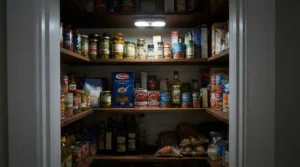
Sensor placement decides whether your closet light feels magical or maddening. Most units use PIR sensors with roughly a 120-degree detection cone, and heat-tracking sensors react best to motion that crosses their field, not motion straight toward them. One installation guide I found claims detection can fall by more than half when you approach at a very shallow angle versus crossing perpendicular. Treat that as directional guidance rather than gospel, but the logic is sound.
Practical rules:
- Aim across the doorway, not straight down the aisle. Entering motion should cross the cone.
- Mount near the door side of the closet, 6 to 8 inches inside the frame.
- Keep sensors away from vents and heat sources, which can cause false triggers.
- Prevent lockout loops. If one light’s glow hits the next unit’s sensor, units may re-trigger or behave erratically. Test at night and nudge angles.
- Don’t expect wall X-ray vision. PIR sensors don’t detect motion through walls or windows, which is useful here.
The EZVALO 13-inch Curved Bar and its rotatable head make adjustment trivial. With fixed-sensor bars like the BLS 74 LED Under Cabinet Light, you reposition the whole bar.
Real-World Scenarios: Which Wireless Motion Sensor Closet Light Fits Your Life?
These are illustrative profiles, not testimonials.
The renter with a 4-foot reach-in. Landlord says no drilling. Budget is tight, and traffic is twice a day. A MCGOR Under Cabinet Lighting two-pack handles it. Magnetic plates peel off cleanly, and a 20-second delay is forgiving. Charge monthly.
The couple with an 8-by-10 walk-in. Two people, heavy morning traffic, a long L-shaped run. Here, the BLS 74 LED Under Cabinet Light gives the brightness, and a second unit covers the return wall. If they want everything to wake at once, the EZVALO 9.06 in. 3-Pack (BD-LY-23-3-WH) is the linkable alternative, trading brightness for coordination.
The family with a sunny hall closet. Daylight pours in, so a standard sensor fires all day. The Desunlux Battery-Powered Closet Lights and their ambient sensing keep battery use low, and two lengths fit awkward shelves. Add a Joyzy 3 Pack Automatic Closet Lights set for the linen closet.
Problem → Solution Guide for Common Closet Light Headaches
- Light doesn’t trigger reliably. Rotate or reposition so you cross the sensor field, don’t approach head-on. The EZVALO 13-inch Curved Bar is built for this fix.
- Light stays dim or fades fast. Recharge fully with the supplied cable; EZVALO’s seller advises using the provided USB cable.
- Light fires in daylight. Switch to Night mode on the Reoshine 80 LED Motion Sensor Light, or buy dark-only models like the Desunlux Battery-Powered Closet Lights.
- Linked lights misbehave. Re-pair one at a time and check for glow hitting neighboring sensors.
- Colors look wrong. Pick 90+ CRI where available and match color temperature to the room.
Long-Term Cost and Maintenance of Wireless Closet Lighting
Upfront prices are low, usually in the budget-to-mid tier, so total cost is mostly about batteries and time. There are no bulbs to replace, since the LEDs are integrated (one retailer cites a 50,000-hour lifespan for its linkable bar). Rechargeable lithium cells do wear, so expect to replace the whole bar eventually.
Compare approaches. Hardwired strips, such as the Maxxima unit Bob Vila tested, are brighter and permanent, but they require wiring or a plug-in conversion and suit specific zones better than whole closets. Premium smart strips, like the Philips Hue unit Bob Vila called most premium, deliver superb light but demand extra cables and patience.
| Option | Install | Light Quality | Maintenance |
|---|---|---|---|
| Wireless bars (BLS 74 LED Under Cabinet Light) | Tool-free | Good | Periodic charging |
| Hardwired strip | Wiring or plug adapter | Very bright | Minimal |
| Smart strip | Complex | Excellent | Minimal, high cost |
The table tells a clear story: wireless wins on flexibility and renter-friendliness, hardwired wins on set-and-forget. If you own your home and plan a renovation, hardwired may pay off. If not, wireless is the rational choice.
Safety and Code Basics for Closet Lighting
Hardwired closet fixtures fall under the National Electrical Code. Article 410 limits what luminaires may be used in clothes closets and requires minimum clearance from storage space, with 12 inches typical for surface-mounted enclosed LED fixtures, and fixtures identified for use within storage space allowed in some cases. EC&M’s explainer on NEC closet luminaire rules lays this out clearly.
Battery-powered stick-on bars aren’t wired into your building, so these rules generally target permanent installations. Still, I’m not an electrician or code official, so check local rules if you’re renovating. And for any rechargeable fixture: use the supplied cable, don’t charge on soft bedding, and keep lights away from heat sources.
Conclusion: Which Wireless Motion Sensor Closet Light Should You Buy?
Short version. For simplicity, grab the MCGOR Under Cabinet Lighting. For linking and a remote, pick the EZVALO 9.06 in. 3-Pack (BD-LY-23-3-WH). For hanging clothes, the Joyzy 3 Pack Automatic Closet Lights earn their angle. For brightness, the BLS 74 LED Under Cabinet Light and Reoshine 80 LED Motion Sensor Light lead. For tricky sensor geometry, choose the EZVALO 13-inch Curved Bar. For sunny closets, Desunlux Battery-Powered Closet Lights are the smart bet.
Whatever you choose, spend ten minutes on sensor placement and, if you buy several bars, on testing multi-unit sync at night. That small effort is what separates a closet that feels automatic from one that feels haunted. If you’re renovating a hardwired space, the clearances summarized by Herriman City’s closet lighting guidance are a good starting reference.
✨ Don’t Miss These Exclusive Deals!
🔍 Take your closet to the next level with these carefully selected lights. Click on any highlighted product to check current pricing and availability. These picks will help you create a bright, effortless, clutter-free wardrobe routine your whole family will love!

Frequently Asked Questions
❓ How many wireless motion sensor closet lights do I need for a walk-in closet?
❓ Can I link different brands of wireless linkable closet lights together?
❓ Do motion sensor closet lights work in daylight?
❓ How often will I need to recharge a rechargeable closet light?
❓ Is a multi-pack wireless motion light worth it compared with buying singles?
Recommended for You
- Motion Sensor Closet Light Battery Operated: 7 Best Picks (2026)
- LED Closet Light For Walk-In Closet: 7 Best Picks 2026
- LED Closet Light For Small Closet: 7 Brilliant Picks (2026)
Disclaimer: This article contains affiliate links. As an Amazon Associate, I earn from qualifying purchases. If you purchase products through these links, we may earn a small commission at no additional cost to you.
✨ Found this helpful? Share it with your friends! 💬🤗
