
In This Article
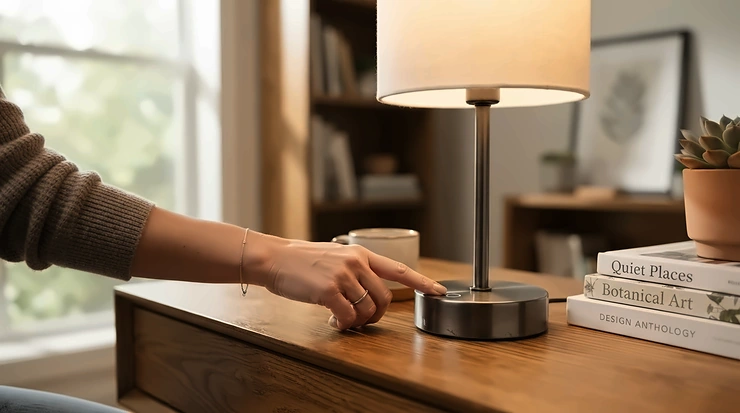
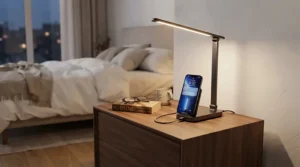
Every night follows the same plot. Your phone is at 6%, the wall charger lives on the far side of the room, and the cable is exactly four inches too short. A USB bedside lamp with charging port fixes that in one object. One plug, one footprint, and light and power right where you lie down.
It sounds like a small upgrade. It isn’t. Once the charger lives in the lamp, the nightstand stops looking like an electronics recycling bin.
What Is a USB Bedside Lamp with Charging Port?
A USB bedside lamp with charging port is a table lamp with built-in USB-A, USB-C, or sometimes AC outlets in its base, so your phone, e-reader, or earbuds charge from the lamp itself. The ports usually stay live when the light is off, turning one nightstand footprint into a lamp and a charging station.
The category has matured fast. Early models offered a couple of slow USB-A ports. Now you can find a USB-C nightstand lamp with power-delivery output, a bedside lamp with charging station features like phone slots and extra outlets, or a lamp with phone charging port support for wireless pads. The USB-C connector is reversible, handles power and data, and is now the default on most new phones, which is why it matters so much when you shop.
One honest note before we start. This guide is built from published specs, manufacturer listings, and aggregated review sentiment from retailer pages and roundup sites. It is not based on hands-on testing, and nothing here pretends otherwise. Where a detail couldn’t be verified, I say so.
Quick Comparison Table: Our 7 Picks at a Glance
| Pick | Charging Setup (as listed) | Light Control | Best For |
|---|---|---|---|
| Yarra-Decor Bedside Table Lamp | 2× USB-A | 3-level touch | Simple, low-cost nightstands |
| Fenmzee Bedside Table Lamp | USB-C + USB-A + 2-prong AC | 3-level touch | Budget buyers who want USB-C |
| Dicoool Touch Bedside Lamp | USB-A + USB-C | 3-level touch | Small tables, wood-look styling |
| Addtam Metal USB-C Lamp | USB-C PD + USB-A QC + AC | Switch, 3 color temps | Faster charging on a budget |
| Kakanuo Fully Dimmable Lamp | USB-A + USB-C + 2× 2-prong AC | Knob dimming | Charging several gadgets at once |
| Macally Bedside Touch Lamp | 2× USB-A + 2× USB-C | 3-level touch, 2700K | Warm light plus four ports |
| NEEWER N40 | 15W wireless (Qi) | 1-100% touch dimming | Cable-free, alarm-clock fans |
Read the table as a map of trade-offs, not a ranking. The Yarra-Decor and Fenmzee win on simplicity and price. The Addtam and Macally are the ones to look at if charging speed matters. The NEEWER N40 is the outlier, since it skips cables entirely and trades port flexibility for tidiness. If you own several devices, the Kakanuo and Macally cover the most ground.
💬 Just one click — help others make better buying decisions too!😊
Top 7 USB Bedside Lamps with Charging Port: Expert Analysis
Each pick below follows the same logic: what the specs mean in practice, who it suits, what reviewers consistently say, and where the weak spots are. Prices are ranges only, so check current price before you buy.
1. Yarra-Decor Bedside Table Lamp — the no-fuss, widely reviewed basic
The Yarra-Decor is the lamp you’d recommend to a friend who just wants it to work. It gives you two USB-A ports rated at 5V/2.1A, a three-level touch dimmer (low, medium, high), a wood-grain base, and an LED bulb in the box.
Those two ports deliver roughly 10 watts each. That’s plenty for an overnight top-up and a little sluggish for a rushed morning. The big limit is that this version has no USB-C and no AC outlet, so it suits older phones, e-readers, and earbuds best. The ports stay live when the lamp is off, which is the feature that matters most at 2 a.m.
On paper, the Yarra-Decor is for people who value a classic lamp look over a spec race. Review roundups often name it a top pick, and one counts more than 23,000 owner reviews, which makes it among the most-reviewed lamps in the category. Reviewers frequently praise the setup and the looks. Durability reports are mixed, though. One retailer reviewer noted a gift lamp still working after two years while a later purchase stopped after about a year.
Pros:
- ✅ Two USB ports that work with the lamp off
- ✅ Bulb included and tool-free setup
- ✅ Classic look that blends into most bedrooms
Cons:
- ❌ No USB-C and no AC outlet on this version
- ❌ Mixed long-term durability reports from some owners
Expect a price around the $20-$30 range. For a first lamp or a guest room, it’s strong value.

2. Fenmzee Bedside Table Lamp — USB-C plus an AC outlet for budget money
The Fenmzee packs three charging options into the base: a USB-C port, a USB-A port, and an AC outlet. That’s an unusual amount of flexibility for the budget tier. A 3-way touch dimmer, a wood base, a flaxen shade, and an LED bulb complete the package.
The part that deserves a read is the outlet. Roundups note it’s a two-prong outlet with no ground. That works for a small fan, a phone brick, or a clip-on reading light, but it won’t take a grounded laptop charger. The listing also doesn’t spotlight per-port wattage, which in this price tier usually signals basic 5V output. So treat the USB-C port as convenient, not blazing fast. Confirm the output on the current listing before you count on quick top-ups.
Who should buy it? Anyone moving off a bare wall charger who wants one USB-C port and one spare outlet without paying premium money. It also suits dorm rooms, where outlets are the scarcest resource. Reviewers repeatedly point to the value of getting three ports at this price. The caveat they raise is the ungrounded outlet.
Pros:
- ✅ USB-C, USB-A, and AC outlet together
- ✅ Three-level touch dimming
- ✅ Bulb included at a budget price
Cons:
- ❌ AC outlet is two-prong only, no ground
- ❌ Per-port charging speed isn’t clearly advertised
Pricing generally sits around the $20-$30 range. It’s a smart value pick.
3. Dicoool Touch Bedside Lamp — compact 14-inch frame for small nightstands
The Dicoool is built for tight spaces. At about 14 inches tall, it fits narrow tables, dorm shelves, and cluttered dressers where a 28-inch farmhouse lamp would loom like a lighthouse. It pairs USB-A and USB-C ports with three-way touch dimming and a warm wooden look.
Size is the real spec here. A lamp this height throws light at a lower angle, which suits reading in bed but not lighting a whole room. Roundups list the Dicoool variants with slightly different port mixes, and some add an AC outlet, so read the exact listing before ordering. Output per port isn’t prominently listed, so assume entry-level charging unless the listing says otherwise.
Who benefits? Apartment dwellers, students, and anyone with a nightstand barely wider than a shoebox. If your table is large and you want a statement piece, look at the Kakanuo instead. Verified review depth for the Dicoool is thinner than for the Yarra-Decor, and I’d rather say that plainly than invent a sentiment summary. Roundup coverage mostly highlights the wood design and the USB-C plus USB-A pairing.
Pros:
- ✅ Compact 14-inch height suits small tables
- ✅ USB-C and USB-A in one base
- ✅ Warm wood-style design
Cons:
- ❌ Variants differ, so check ports carefully
- ❌ Fewer verifiable reviews than top sellers
Expect something around the $25-$35 range. It’s good value for tight spaces.
4. Addtam Metal USB-C Bedside Table Lamp — the fast-charging budget standout
The Addtam stands out because it publishes real output numbers. The USB-C port is listed at up to 20W USB Power Delivery, the USB-A port at up to 18W Quick Charge, and the AC outlet at 10A/125V. It also swaps the usual plastic body for metal and uses a physical switch with three color temperatures instead of touch control.
That 20W figure is where fast charging gets practical. Many modern phones can use a 20W PD source to charge noticeably quicker than they would on a basic 10W port. There’s a catch, and the listing itself states it. Maximum power is only available when you use a single USB port, so plugging in two devices means each gets less. For one phone at a time, it’s a very good setup.
The physical switch is also quietly useful. Touch lamps can toggle when you brush the base, and some reviewers on other models call touch control “too touchy.” If that annoys you, the Addtam avoids it. Coverage from deal sites describes it as a metal-built USB-C lamp, and it arrives with a one-year warranty.
Pros:
- ✅ Up to 20W USB-C PD for faster charging
- ✅ Metal construction and a real switch
- ✅ AC outlet plus USB-A port
Cons:
- ❌ Full power only when a single USB port is used
- ❌ Switch-only, so no smooth dimming
Typical pricing runs around the $25-$40 range. For faster charging at this tier, the Addtam is hard to beat.
5. Kakanuo Fully Dimmable Nightstand Lamp — the multi-device charging hub
The Kakanuo is the lamp for households with more gadgets than outlets. Listings describe USB-A and USB-C ports plus two AC outlets, with up to four devices charging at once whether the lamp is on or off. A knob dimmer smoothly adjusts brightness from 0 to 100%, and the wood base includes slots that prop up a phone or tablet.
Smooth knob dimming is a real quality-of-life step up from three fixed levels. The listing warns you to use only the bulb supplied, because swapping in another bulb can break dimming compatibility. At around 13.4 inches tall, it sits comfortably on most nightstands. Those phone slots matter more than they sound. They keep your screen visible and your charging cable off the tabletop.
A reviewer on a related Kakanuo model noted the charging ports “are not very fast,” so don’t buy it expecting laptop-class speeds. Think of it as an organized hub, not a power station. It suits couples sharing a table, travelers’ guest rooms, and anyone charging a phone, e-reader, and earbuds together.
Pros:
- ✅ Smooth knob dimming from 0 to 100%
- ✅ Multiple ports plus two AC outlets
- ✅ Built-in phone slots in the base
Cons:
- ❌ Ports aren’t marketed for fast charging
- ❌ Must use the supplied bulb for dimming
Expect a price around the $30-$45 range. It’s solid value if you juggle many devices.
6. Macally Bedside Touch Lamp — four ports and warm 2700K light
The Macally is the specialist here. Its retailer listing describes two USB-A and two USB-C ports, with the USB-C output rated up to 20W and a shared maximum of 15W. It adds soft 2700K LED lighting and three tap-to-change brightness levels, backed by a one-year limited warranty.
That 2700K detail deserves attention. Sleep-focused guidance says evening exposure to blue-heavy light can interfere with sleep, so a warm color temperature is a smart choice for a lamp you’ll use right before bed. The shared output rating also matters. With all four ports in use, speeds divide, so the best result is one fast-charging device plus a few trickle-charge ones.
An earlier four-port Macally model was described by one reviewer as a small cylinder that gave a soft glow but limited light reach. That’s a trade-off to remember: it’s a mood and charging lamp more than a serious reading light. Check dimensions against your table. I’d choose it for people who value warm light and port count over lamp size.
Pros:
- ✅ Four ports, including two USB-C
- ✅ Warm 2700K light for bedtime
- ✅ Tap control with a long-press off
Cons:
- ❌ Shared output limits simultaneous fast charging
- ❌ Compact lamp, so light reach is limited
I’d expect an estimated $35-$60 range, so confirm current pricing. It’s good value if four ports matter to you.
7. NEEWER N40 Entry Level Bedside Lamp — wireless charging and an alarm clock
The NEEWER N40 is the wildcard, and I’m including it on purpose. It has no USB output according to its listing. Instead it combines a 15W Qi wireless charger, an LCD alarm clock, and a touch-dimmable LED ring light with 54 LEDs, up to 763 lux at 0.2 meters, and 1-100% dimming. The official store lists a two-year warranty and 30-day returns.
Why include a lamp without ports in a USB guide? Because it solves the same job, a cable-free nightstand, from another angle. Set your phone on the pad and you’re charging. The 4200K light is cooler than the warm 2700K on the Macally, so dim it low at night. It’s best for people who want a clock, a lamp, and a charger in one block and own Qi-compatible phones.
Verified owner reviews were limited when I researched this, so I won’t summarize sentiment I can’t source. The trade-off to weigh is clear from the specs: wireless charging is convenient but generally slower than a good wired USB-C port, and thick cases can interfere.
Pros:
- ✅ Cable-free 15W wireless charging
- ✅ Built-in alarm clock and wide dimming range
- ✅ Two-year warranty on the official store
Cons:
- ❌ No USB ports for non-wireless devices
- ❌ Cooler 4200K light needs dimming at night
Expect something around the $40-$50 range. It’s strong value for a clean desk-and-nightstand look.
Top 7 Specs and Price Ranges Side by Side
| Pick | Charging Output (as listed) | Price Range | Watch-Out |
|---|---|---|---|
| Yarra-Decor | 2× USB-A, 5V/2.1A | Under $30 | No USB-C |
| Fenmzee | USB-C + USB-A + AC | Around $20-$30 | Ungrounded outlet |
| Dicoool | USB-A + USB-C | About $25-$35 | Variants differ |
| Addtam | PD 20W / QC 18W / AC 10A | About $25-$40 | Full power on one port only |
| Kakanuo | USB-A + USB-C + 2× AC | About $30-$45 | Not built for fast charging |
| Macally | USB-C 20W max, 15W shared | Est. $35-$60 | Shared output with all ports in use |
| NEEWER N40 | 15W wireless | Around $40-$50 | No USB ports |
Looking at the table, the Addtam is the clearest fast-charging pick under about $40, while the Yarra-Decor is the cheapest path to a working lamp. Buyers who need several ports should compare the Kakanuo and Macally closely, because the Macally favors USB-C and the Kakanuo favors outlets. The NEEWER N40 costs more for what it adds, but it’s the only one that removes cables from the equation.
How to Choose a USB Bedside Lamp with Charging Port
Choosing well takes six quick decisions. Work through them in order and you’ll narrow seven options to one in about five minutes.
- Count your devices. Phone, e-reader, earbuds, watch? Two ports cover one person, and four cover a couple or a gadget collector.
- Pick your port type. A USB-C nightstand lamp future-proofs you, since most new phones and tablets use USB-C. Keep a USB-A port if you own older cables.
- Check the output, not just the port count. A listed 20W USB-C port behaves very differently from a 5V/2.1A port. If no wattage appears, assume the basics.
- Choose the light color. Warm light around 2700K suits bedtime. Sleep-health guidance from the Sleep Foundation explains that blue-heavy light close to bedtime can disrupt sleep, so favor warm tones or dim it low.
- Match the lamp to your table. A tall lamp on a narrow table tips. Measure first.
- Read the warranty and certification line. A one-year warranty is the realistic baseline, and a recognized safety mark is a real plus.
The most overlooked step is number three. Shoppers count ports like trophies and ignore the watts, then wonder why the phone crawls.

USB-A vs USB-C: What Actually Changes at Your Bedside
The USB-A vs USB-C debate sounds like a spec-sheet yawn until it’s 11 p.m. and the wrong cable is in your hand.
Speed and power
USB-A ports on lamps are typically basic 5V outputs, such as the 5V/2.1A on the Yarra-Decor. A USB-C port can go much higher when it supports Power Delivery, as the Addtam does at up to 20W. The port shape doesn’t guarantee speed, though. A USB-C port without PD is limited to far less. Per a technical overview of the standard, a plain USB-C connection without PD offers 5V at 3A, or 15W.
Cable reality
USB-C cables are reversible, so you can plug in without looking at 2 a.m. That’s a genuine nightstand win. USB-A still earns its place for older earbuds, small speakers, and legacy cables, which is why lamps like the Kakanuo and Fenmzee keep both.
The practical rule
If you own mostly modern devices, choose a lamp with USB-C and at least one USB-A as backup. If you charge gear that still ships with a USB-A cable, don’t ditch it. In the USB-A vs USB-C choice, mixed ports are the safest buy for most households.
Fast Charging: What to Expect from a Lamp’s Ports
Fast charging on a lamp has limits, and it helps to know them before you spend extra.
The USB Implementers Forum develops the USB Power Delivery standard, which lets a charger and a device negotiate higher power safely. Standard PD tops out at 100W, but lamp ports are nowhere near that. Think 18-20W at best, which is what the Addtam lists. That’s enough for the fast-charge tier on many phones, but not for laptops.
Three things limit the real-world speed:
- Shared output. The Macally lists a shared maximum when several ports are busy, so one fast device plus slow ones is the realistic pattern.
- Cable quality. A flimsy cable can bottleneck a good port.
- Your phone. The device decides how much it accepts, so a 20W port won’t force 20W into a phone that wants 10W.
Overnight, none of this matters much. A basic port refills a phone while you sleep. Speed matters for the morning scramble, when ten minutes of fast charging can mean 20-30% extra battery. For that use case, spend a little more on a PD-rated USB-C port.
Cable Management on a Nightstand: A Practical Setup Guide
A lamp with built-in charging cuts cables in half, but it doesn’t make them vanish. Good cable management takes ten minutes and keeps the whole table calm.
First 30 minutes:
- Place the lamp so its power cord runs straight back to the wall, not across the floor.
- Use short cables, about 3 feet, for the lamp’s ports. Long cables only create loops.
- Stick one adhesive cable clip on the back edge of the nightstand to hold the charging cables where your hand lands.
Ongoing habits:
- Give each person one port and one cable, so nobody swaps connectors at midnight.
- Use the lamp’s phone slots if it has them, as the Kakanuo does, to keep the screen angled up and off the table.
- Skip decorative cable sleeves unless they’re loose enough to stay cool.
Common mistake in the first month: running the lamp’s cord under a rug or through a doorway. The U.S. Consumer Product Safety Commission advises against running cords under carpets or furniture because heat and damage can go unnoticed. If your outlet is far away, move the nightstand or choose a lamp with a longer cord, not a daisy-chain of extensions.
The cleanest setup of all is wireless. A pad like the NEEWER N40 removes the phone cable entirely, which is why it keeps its place in this list despite having no USB port.
Real-World Scenarios: Which Lamp Fits Your Life?
Specs only matter when they match a life. Here are three profiles and the lamps that suit each.
The college student in a shared dorm. Budget around $30, a table the width of a laptop, and one phone plus earbuds. The Fenmzee gives USB-C, USB-A, and a spare outlet, while the Dicoool wins if the shelf is narrow. Either keeps desk clutter low.
The couple sharing one side table. Two phones, one smartwatch, and an e-reader, all charging every night. The Kakanuo and its multiple ports and outlets handle this, and the Macally adds four ports with warm light. Both avoid a tangle of adapters.
The phone-first sleeper who wants a clock. You use your phone as an alarm and hate cables. The NEEWER N40 gives you wireless charging, a clock, and a wide dimming range in a single block. Dim it low in the evening, since its light is cooler than warm bulbs.
Across all three, the pattern is consistent. Match the port setup to your device count first, and the lamp’s look second.
Common Problems and How to Fix Them
Even a good USB bedside lamp with charging port can be annoying if you don’t know the quirks.
- My phone charges slowly. Check which port you’re using. On the Addtam, full output needs a single device on one port. Swap to a quality USB-C cable and move other devices off the lamp.
- The touch control keeps toggling. Touch lamps respond to a brush of the base. Move the lamp away from your hand’s path, or choose a switch model like the Addtam.
- My plug won’t fit the outlet. Lamp outlets are often two-prong, as roundups note for the Fenmzee. Use the wall outlet for grounded chargers.
- Dimming flickers. The Kakanuo listing says to use only its supplied bulb for dimming compatibility. Don’t swap bulbs.
- The cord is too short. Reposition the table before adding extensions, which lead us straight to the next topic.
Bedside Lamp with Charging Station vs Wireless Pads and Plain Lamps
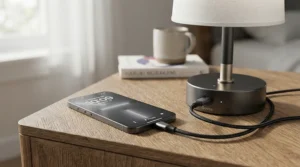
Is a bedside lamp with charging station worth choosing over a plain lamp and a wall charger? Usually yes, and the table shows why.
| Factor | USB lamp with charging ports | Wireless charging lamp (NEEWER N40) | Plain lamp + wall charger |
|---|---|---|---|
| Cables on the nightstand | One cord to the wall plus charging cables | One cord, no phone cable | Two separate cords |
| Charging speed | Varies, up to ~20W on some | Up to 15W, case-dependent | Depends on the brick |
| Devices at once | 2-4 | Usually one phone | Depends on the charger |
| Outlets used | One | One | Two |
| Best For | Households with several devices | Qi phones and minimalists | Existing setups |
The takeaway is simple. A USB lamp reclaims one wall outlet and trims clutter, which is its main edge over the plain lamp. The wireless route is tidier but usually slower and tied to Qi compatibility. If you already own a great charger, the upgrade is mostly about convenience and space, so decide whether your nightstand actually feels crowded.
Who Should Buy a USB-C Nightstand Lamp?
A USB-C nightstand lamp suits you if your phone, tablet, and earbuds all use USB-C. Here’s how different buyers fit.
- Beginners: The Yarra-Decor is the simplest entry point, but pick a USB-C model like the Fenmzee if your phone needs it.
- Light sleepers: Choose warm light, such as the Macally at 2700K, and keep it dim.
- Frequent travelers’ guest rooms: The Kakanuo gives guests several ways to charge without a hunt for adapters.
- Parents: Touch dimming helps in the dark, and low brightness is gentle. Keep cords short and out of reach.
If you only own older USB-A gear, a lamp with phone charging port support for both types is the safer purchase.
Features That Actually Matter (And Those That Don’t)
Matter: published output wattage, a USB-C port, warm color temperature, a stable base, and ports that work with the lamp off. Those five decide whether you’ll still like the lamp in a year.
Matter less than marketing suggests:
- Port count past four. More ports mean more shared output, not more speed.
- Fancy shade fabrics. Looks matter, but they won’t change charging.
- “Fast charging” without numbers. If the listing doesn’t give watts, treat the claim cautiously.
A quiet tie-breaker is the bulb. A lamp that includes a good LED bulb saves a store trip, which is why the Yarra-Decor and Fenmzee score well on convenience.
Safety, Certifications, and Sleep: What to Know
Charging gear is only a bargain if it’s safe. A few habits cover most risks.
Look for a certification label. Consumer-safety guidance recommends checking for a mark from an independent testing lab on the product and packaging, and avoiding counterfeit goods.
Don’t overload the AC outlet. The lamp’s built-in outlet is meant for small, low-draw devices. The Consumer Product Safety Commission warns that overloaded cords and extension setups are a leading cause of overheating, and it advises replacing damaged cords. Keep heaters and high-wattage appliances off lamp outlets.
Keep it cool. If the base feels hot while in use, unplug it. That’s a warning sign, not a quirk.
Mind the light. Dim, warm lighting before bed is easier on sleep than bright blue-heavy light, which is where the Macally has an edge over the cooler NEEWER N40 default.
Long-Term Cost and Value
A lamp is a small purchase, so the cost question is really about lifespan and replacement.
| Tier | Typical Range | Picks | Value Verdict |
|---|---|---|---|
| Entry | Under $30 | Yarra-Decor, Fenmzee, Dicoool | Best for first-time buyers |
| Mid | $25-$45 | Addtam, Kakanuo | Best balance of speed and ports |
| Premium | $35-$60 | Macally, NEEWER N40 | Best for warm light or wireless |
Spread over time, the math is friendly. A lamp costing around $30 that lasts three years works out to roughly three cents a night. Even if a budget unit fails after a year, as one Yarra-Decor reviewer reported for their second lamp, the annual cost stays small. The warranty is the real differentiator, so a one-year limited warranty like the Macally and Addtam offer is worth a point. Replace the bulb, not the lamp, when possible, and unplug anything that behaves strangely.
FAQ
❓ Is a USB-C nightstand lamp better than a USB-A one?
❓ Do the ports work when the lamp is off?
❓ Can a lamp with phone charging port support fast charging?
❓ How many devices can a bedside lamp with charging station run at once?
❓ Is it safe to charge my phone on a lamp overnight?
Conclusion
The right USB bedside lamp with charging port comes down to three things: how many devices you charge, how fast you need them to charge, and how much table you have.
If you want the simplest dependable setup, the Yarra-Decor and Fenmzee keep cost low, with the Fenmzee adding USB-C and an outlet. For faster charging, the Addtam is the standout, thanks to its published 20W USB-C output. If you juggle many gadgets, the Kakanuo and Macally cover the most ports, and the Macally‘s warm 2700K light is a gentle bedtime choice. The Dicoool fits small tables, and the NEEWER N40 is the pick for anyone who wants wireless charging and a clock with no cables at all.
Whichever you choose, check the wattage, confirm the ports and outlet type on the current listing, and keep the cords tidy. A good USB-C nightstand lamp takes five minutes to set up and makes every night a little calmer. Start with your device count, pick your port type, and let the rest follow.
✨ Ready to upgrade your nightstand?
🔍 Click on any highlighted lamp above to check current pricing and availability. Your phone, your tidy table, and your future 2 a.m. self will thank you! 🛏️
Recommended for You
- Bedside Lamps Under $50 For Small Bedrooms: 7 Best Picks 2026
- Modern Flush Mount Ceiling Light For Apartment Bedroom: 7 Best 2026
- Remote Control Ceiling Fan With Light For Bedroom: 7 Best Picks 2026
Disclaimer: This article contains affiliate links. As an Amazon Associate, I earn from qualifying purchases. If you purchase products through these links, we may earn a small commission at no additional cost to you.
✨ Found this helpful? Share it with your friends! 💬🤗
