
In This Article
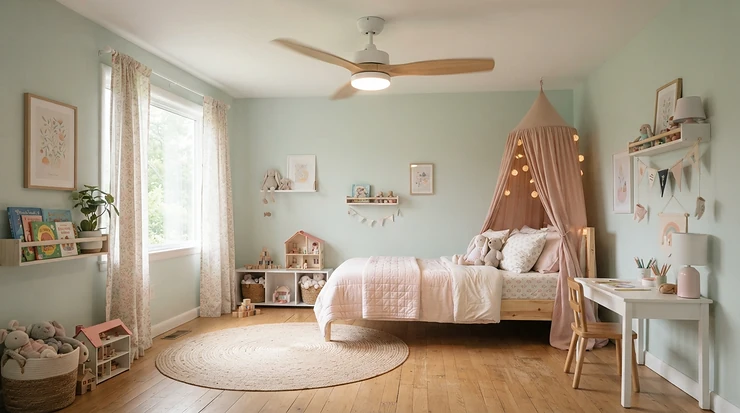
A remote control ceiling fan with light for bedroom use is a fan-and-lamp combo you run from a handheld transmitter, usually an RF remote. You change speed, brightness, color temperature, and airflow direction without leaving bed. Many 2026 models add app and voice control, but the handheld remote still works when Wi-Fi doesn’t.

Picture 2 a.m. The duvet is on the floor, the room feels like a loaf of bread proving in a warm oven, and the pull chain is somewhere in the dark, mocking you. That’s when a remote control ceiling fan with light for bedroom use earns its keep. One press on the nightstand and the blades slow, the glow drops to a murmur, and the air resets. Temperature matters here, too. The Sleep Foundation puts the practical sweet spot for most adults at roughly 65 to 68°F. A quiet fan is one of the cheapest ways to nudge a stuffy room toward that range.
Here’s the catch: these fans aren’t created equal. Some hum like a refrigerator. Some forget their settings the moment the wall switch flips. Others bury basic controls in a clunky app.
I compared seven real options, from budget to premium, using published specs and aggregated review sentiment. I haven’t handled these fans myself, and I won’t pretend otherwise. What you’ll get is spec-grounded analysis, honest trade-offs, and setup advice that product listings skip. Along the way we’ll cover ceiling fan light remote app control, RF remote basics, and the wall-mount receiver question that trips up many buyers.
Quick Comparison: 7 Best Remote Control Ceiling Fans with Light for Bedroom at a Glance
| Product | Size & Profile | Listed Max Airflow | Listed Noise | Controls | Price Range* | Best For |
|---|---|---|---|---|---|---|
| ZMISHIBO | 52 in, flush mount | ~3,057 CFM | ~30 dB | RF remote + app | ~$60-$110 | ZMISHIBO suits tight budgets |
| Ohniyou | 52 in, flush mount | ~4,580 CFM | As low as 20 dB | Remote + app | ~$110-$160 | Ohniyou suits light sleepers |
| DREO 42 | 42 in, compact | ~3,400 CFM (max) | ~25-31 dB | Remote, app, voice, wall switch | ~$110-$140 | DREO 42 suits small rooms |
| Hoenofly | 52 in, ~8.2 in drop | ~4,124 CFM | ~30 dB | Remote, app, voice | Check current price | Hoenofly suits low ceilings |
| Sofucor | 52 in, flush mount | ~5,500 CFM | ~30 dB | Remote, app, voice | ~$130-$200 | Sofucor suits a wood-blade look |
| DREO 52 | 52 in | ~5,673 CFM | ~22-35 dB (sources vary) | Remote, app, voice | ~$160-$200 | DREO 52 suits routine builders |
| Govee | 52 in, flush mount | ~5,000 CFM | ~30 dB | Remote, app, voice, Matter | ~$170-$210 | Govee suits Matter households |
*Ranges at the time of research; prices may vary by seller, finish, and promotion.
Looking at the table, airflow numbers are manufacturer maximums, not everyday performance. The DREO 42 listing itself notes an average closer to 2,247 CFM, so treat peak CFM as a ceiling rather than a promise. For most bedrooms, noise and light quality matter more than raw wind, which is why Ohniyou and the DREO 42 deserve a second look despite modest airflow headlines. If budget is the only filter, ZMISHIBO is the clear floor, while Govee is the feature ceiling.
💬 Just one click — help others make better buying decisions too!😊
Top 7 Remote Control Ceiling Fan with Light for Bedroom Picks: Expert Analysis
I’ve ordered these loosely from budget to premium. Each gets the same treatment: what the specs mean in practice, who it suits, and what reviewers keep mentioning. Check current price before buying, because deals move fast.
1. ZMISHIBO 52 Inch Ceiling Fan — cheapest ticket to a real DC motor
Price is the hook, and it’s an honest one. The ZMISHIBO pairs a pure copper-wound DC motor (per its listing) with a flush-mount 52 inch frame, a combo that usually costs noticeably more.
Listed airflow is about 3,057 CFM. That sounds modest next to 5,000-plus claims, but a bedroom under roughly 200 square feet doesn’t need a wind tunnel. The LED offers stepless color temperature from about 3000K to 6500K and dimming down to 10%, so a midnight bathroom trip doesn’t feel like walking onto a stadium pitch. Memory function restores your last setting, which matters when a power blip would otherwise blast you with full daylight. Roundups also cite a 5-year motor warranty.
Based on the spec comparison, this is the pick for renters and first-timers who mostly want that pull chain gone. The hardware is the strong part; the software is the weak part. Review roundups flag a clunky, inconsistent app, a manual QR code that doesn’t always launch it, and dimming that can stutter. Treat the handheld RF remote as your main control and the app as a bonus.
Pros:
- ✅ Copper-wound DC motor at a budget price
- ✅ Stepless 3000K-6500K color temperature
- ✅ Light memory restores your last setting
Cons:
- ❌ App feels clunky and inconsistent
- ❌ Airflow trails larger premium fans
Price range: roughly $60-$110 at the time of research (check current price). Value verdict: the best dollars-per-feature deal here, provided you accept a rough app.

2. Ohniyou 52 Inch Low Profile Ceiling Fan — quietest floor for light sleepers
Silence is the selling point, and Ohniyou leans in hard: a DC motor listed as low as 20 dB at its lowest speed.
Top airflow lands around 4,580 CFM across six speeds. An 18W dimmable LED offers 3000K, 4500K, and 6000K tones. In practice, 20 dB is a whisper in an empty library, so the fan registers as gentle moving air rather than sound. That figure matters more to light sleepers than peak CFM. One quirk: a retailer listing notes lighting memory doesn’t survive a wall-switch flip, so leave the switch on.
Based on the spec comparison, this is a master-bedroom fan for anyone whose partner stirs at every click. The trade-off is feel, not function. Roundups describe the build as functional rather than premium and the remote as noticeably lightweight, and call the app less polished than the hardware. On the plus side, reviewers cited in those roundups say the company ships replacement parts promptly, which is reassuring for a ceiling-mounted purchase you really don’t want to return.
Pros:
- ✅ Listed as quiet as 20 dB on low speed
- ✅ Six speeds with solid 4,580 CFM top end
- ✅ Three color temperatures with dimming
Cons:
- ❌ Remote feels lightweight and cheap
- ❌ App is less refined than the hardware
Price range: around $110-$160 at the time of research, depending on finish and seller. Value verdict: excellent for noise-sensitive bedrooms, merely fair if you crave premium materials.
3. DREO 42 Inch Bedroom Smart Ceiling Fan — compact size with real wall switch control
A 52 inch fan in a 10-by-11 bedroom can feel like parking a helicopter in a closet. The DREO 42 is built for that room. Its standout trick is wall switch support alongside remote, app, and voice control.
Airflow is listed at 3,400 CFM, though the brand’s own listing also cites an average of about 2,247 CFM. That’s a refreshingly honest asterisk: expect a room-sized breeze, not a gale. The LED is rated 2,400 lumens with stepless color from 2700K to 6500K, bright enough to be the room’s main light. Noise is cited between roughly 25 and 31 dB. The app unlocks 12 speeds and three modes, while the handheld remote offers six.
That wall switch support is the sleeper feature. Most smart fans want the switch left on forever, but here it can act as a genuine on-off, handy for guests and for kids who flip switches by reflex. For rooms under roughly 150 square feet, the spec comparison favors this over a bigger fan. A reviewer on the brand’s own store page described it as very quiet even on high, easy to pair with the app and Google, and bright, while noting several plastic parts. Roundups flag a smaller review base because the model is newer.
Pros:
- ✅ Wall switch, remote, app, and voice control
- ✅ 2,400-lumen light with stepless tuning
- ✅ Compact 42 inch span suits small rooms
Cons:
- ❌ Too small for rooms over about 200 sq ft
- ❌ Shorter review history than older models
Price range: around $110-$140 at the time of research. Value verdict: strong value for small bedrooms, with the most flexible control mix in this lineup.
4. Hoenofly 52 Inch Low Profile Wood Fan — shallowest drop for low ceilings
Eight-foot ceilings and ceiling fans can be an awkward marriage, head-clearance anxiety included. The Hoenofly targets that squeeze, sitting about 8.2 inches from ceiling to blade tip, per roundup figures.
It pairs solid wood blades with a DC motor listed near 30 dB and 4,124 CFM, plus a tunable 3000K-5000K LED with dimming and memory. Translation: a cozier light range (5000K is already crisp daylight for a bedroom) and a fan that hugs the ceiling instead of dangling at your forehead. The wood finish also gives the room a furniture-like look that plastic blades rarely match.
Where it bites is setup. Reviewers call the instructions vague, and the fan only connects on 2.4 GHz Wi-Fi, so dual-band routers may need band steering turned off. Aggregated feedback also mentions some remotes losing pairing and top-speed airflow feeling weaker than expected. If you enjoy a bit of tinkering, the design payoff is real. If you want plug-and-play, look elsewhere. It isn’t designed for sloped or vaulted ceilings, so check your geometry first.
Pros:
- ✅ Real solid wood blades with a premium look
- ✅ Shallow 8.2 inch drop for low ceilings
- ✅ Memory restores brightness and color
Cons:
- ❌ Vague instructions and fussy 2.4 GHz pairing
- ❌ Not made for sloped or vaulted ceilings
Price range: I couldn’t verify a reliable current figure, so check the listing. Comparable solid-wood flush-mount smart fans in my research sat roughly in the $130-$200 band. Value verdict: worth it mainly when ceiling height is your constraint.
5. Sofucor 52 Inch Smart Ceiling Fan — solid wood blades and a lifetime motor warranty
If the Sofucor were a person, it would be the dependable friend who shows up with a toolbox.
Listed airflow reaches about 5,500 CFM from a motor rated near 30 dB. Solid wood blades and three color temperatures (3000K, 4000K, 6000K) come with a dimmer that goes down to 10%, and brightness and color memory persist after a power cycle. The warranty is the headline: a lifetime motor warranty plus two years on accessories, per roundup and retailer listings. A lifetime promise on the costliest part to replace says something about the maker’s confidence.
Based on the spec comparison, this is the buy-once choice for a 12-by-14 bedroom, and the roughly 11.8 inch flush profile fits standard-height ceilings. The quibbles are small but real. Reviewers say the lowest speed can feel brisk for sleeping, that the power button doesn’t separate fan from light, and that proprietary connectors can make swapping a lost remote awkward. It also needs a 2.4 GHz network for app pairing, like most rivals.
Pros:
- ✅ Lifetime motor warranty plus accessory coverage
- ✅ Solid wood blades and wide dimming range
- ✅ Strong ~5,500 CFM for its quiet rating
Cons:
- ❌ Lowest speed may feel too brisk
- ❌ Replacement remotes can be awkward
Price range: roughly $130-$200 at the time of research (check current price). Value verdict: a durable, well-protected choice if you value materials and warranty over gadgets.
6. DREO 52 Inch 12-Speed Smart Ceiling Fan — finest speed control and a polished app
Granularity is the story. The DREO 52 gives you 12 speed steps in the app plus Sleep, Natural, and Normal wind modes. Natural varies the speed to mimic an outdoor breeze, per roundups.
Airflow tops out around 5,673 CFM, with a 2,400-lumen LED and stepless color from 2700K to 6500K. Noise claims run as low as 22 dB, though a published professional review rated it under 35 dB, so expect “very quiet” rather than “silent.” The handheld remote is simpler, with six speeds plus buttons for color temperature, reverse, and lamp control. That split works nicely: the bedside remote handles the nightly routine, and the app handles fine-tuning. Brand specs also list a wall switch control as a separate accessory, which is relevant if you want fixed wall control.
If you already run Alexa or Google routines, the spec comparison favors this fan because it appears as a proper fan device with speed steps rather than a light-plus-dimmer imitation. Common complaints include an oversized remote, a lowest light level that’s still fairly bright, a faint hum at some mid-range speeds, and wobble if the blades aren’t balanced during install.
Pros:
- ✅ 12 app speeds plus three wind modes
- ✅ Polished app with Alexa and Google support
- ✅ Two downrod lengths included, per roundups
Cons:
- ❌ Lowest light level still fairly bright
- ❌ Faint hum possible at some speeds
Price range: around $160-$200 at the time of research. Value verdict: the best all-round smart experience for the money, if you’ll actually use the app.
7. Govee 52 Inch RGBIC Smart Ceiling Fan — Matter support and dual-zone lighting
Most fans hand you a lamp. The Govee hands you a lighting rig.
A 2,800-lumen RGBWW main lamp sits beneath an RGBICWW ambient backlight, with a color range stretching from about 1000K to 10000K. Add roughly 5,000 CFM, a motor listed around 30 dB, six speeds, and Matter certification, and the pitch is clear. In practice, you get warm amber for winding down, daylight for mornings, and a soft glow on the ceiling instead of a spotlight. Matter means Apple Home, Google, Alexa, and SmartThings can all address it, which is rare in this category.
For a bedroom, treat the color tricks as seasoning, not the meal. Saturated colors won’t help you sleep, so park the night preset on warm and dim. The listed wattage is higher than rivals, per roundups, and Govee itself notes occasional Matter communication error alerts that don’t affect operation. The model is newer, so the review base is smaller.
Pros:
- ✅ Dual-layer lighting with huge color range
- ✅ Matter certification across smart platforms
- ✅ Physical remote included in the box
Cons:
- ❌ Higher listed wattage than rivals
- ❌ Occasional Matter error messages
Price range: roughly $170-$210 at the time of research. Value verdict: a smart-home enthusiast’s pick; simpler households can save money elsewhere.
Setup Guide: Ceiling Fan Light Remote App Control in Under an Hour
Listings rarely mention the part that decides whether you love your fan: the first 30 days. Here’s a sequence that sidesteps the common faceplants.
- Cut the breaker and confirm the box is fan-rated. A standard light box isn’t built for a spinning load.
- Mount, balance, and tighten everything. Loose blade screws are a classic wobble source, and one roundup flags wobble on the DREO 52 if blades aren’t balanced.
- Leave the wall switch ON afterward. Roundups note that cutting power disconnects the fan from Wi-Fi, which can force a re-pair.
- Prep your router. Most smart models speak only 2.4 GHz, so split your bands or pause band steering during pairing.
- Pair in this order: RF remote first (it needs no Wi-Fi), then the app, then your voice assistant.
- Build a night preset. Try warm color around 2700K-3000K, brightness at 10-20%, and a 4- or 8-hour sleep timer.
- Flip direction by season. ENERGY STAR advises clockwise at low speed in winter to push warm air down gently.
The biggest first-month mistake is over-relying on the app. Ceiling fan light remote app control is wonderful for schedules, but the handheld remote is your outage-proof backup. Test both before you tuck the ladder away.

Bedside Remote Ceiling Fan: Control Everything Without Leaving the Mattress
A bedside remote ceiling fan setup sounds trivial until the remote vanishes into the duvet at 1 a.m. A few small habits make it effortless.
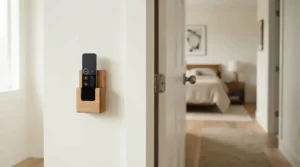
First, give the remote a permanent home. A stick-on holder on the nightstand or headboard beats a pocket of loose cables every time. Second, remember the physics: handheld remotes in this category generally use RF, which passes through walls and doesn’t need aiming, unlike old infrared TV remotes. That means a bedside remote ceiling fan works from under the covers, from a reading chair, even from the hallway, though real-world range varies by model, so test yours.
Third, program once, touch rarely. Set your sleep timer and night light preset, and the bedside remote becomes a once-a-night tool. Fourth, check batteries twice a year, and keep small button cells away from children. Fifth, check whether your fan can silence its confirmation beep. One roundup flagged a mute-beep button as a real perk for light sleepers, and it’s worth looking for.
For this use case, the DREO 52 remote includes dedicated buttons for color temperature, reverse, and lamp control, per a published review. Sofucor and Ohniyou also include handheld remotes with timers. If you’re shopping on remote ergonomics alone, I’d favor a bigger remote with clear buttons over a tiny one you’ll lose.
Real-World Scenarios: Matching a Fan to Your Bedroom
Specs only matter when they meet an actual room. These illustrative profiles show how the choices play out.
The budget-minded renter. A 10-by-11 room, 8-foot ceilings, about $100 to spend, nightly use. The ZMISHIBO covers the essentials (DC motor, dimming, memory). If the budget stretches a little, the DREO 42 fits the room size better and adds wall switch support.
The light-sleeper couple. A 12-by-14 master, one partner who wakes at every click, fan on all night. Ohniyou wins on listed noise, while Sofucor wins on materials and warranty. Pick based on whether silence or longevity matters more.
The attic-style low ceiling. A 7.5-foot ceiling and a tall household. Hoenofly‘s shallow drop is the spec that matters here, so accept the vaguer manual in exchange for headroom.
The smart-home household. Already running Alexa routines? The DREO 52 shows up as a proper fan with speed steps. Running Apple Home or mixed platforms? Govee with Matter is the cleaner bridge.
In every scenario, buy for the room size and noise tolerance first. Features come second.
Problem to Solution: Fixing the Most Common Remote, RF, and App Headaches
Problem 1: The remote suddenly does nothing. Swap the battery, move closer, and re-run the pairing steps in your manual. RF remotes sometimes lose sync, and roundups mention this for the Hoenofly. Keep a spare remote model number handy.
Problem 2: The app won’t pair. Nine times out of ten it’s Wi-Fi bands. Split your SSIDs, put your phone on the 2.4 GHz network, and try again.
Problem 3: Wobble or hum. Re-tighten blade screws, confirm the blade set is balanced, and check that the ceiling box is secure. If a hum appears only at certain speeds (the DREO 52 reports this), try a neighboring speed.
Problem 4: The light is too bright at night. Look for deep dimming. The ZMISHIBO dims to 10%, and the DREO 42 is described as stepless down to 5%. Pair that with a warm color temperature.
Problem 5: Settings reset after a switch flip. Leave the wall switch on, and favor models with memory function.
✨ Ready to Fix Your Bedroom Airflow?
🌙 Pick the fan that matches your room and your noise tolerance, then click through to check current price and availability. A properly set-up fan turns a restless night into a restful one!
How to Choose a Remote Control Ceiling Fan with Light for Bedroom Use
- Match blade span to room size. Roundups suggest 42 inch fans for rooms under about 100-150 square feet and 52 inch fans for roughly 100-300. Too small spins fast without moving air; too big feels drafty.
- Insist on a DC motor. DC motors run quieter and offer more speed steps than traditional AC motors. For sleeping, a low-speed noise figure in the 20s or low 30s dB is the target.
- Check the light specs. Look for at least about 1,500 lumens for a bedroom, color temperature that reaches warm tones (2700K-3000K), dimming that gets genuinely low, and memory function.
- Prioritize the control stack. A reliable RF remote comes first, app and voice second. Confirm it’s a true remote control ceiling fan with light for bedroom comfort, not an app-only gadget.
- Match mount type to ceiling height. Flush mounts suit ceilings under about 9 feet, while downrods suit vaulted or taller ones. Check included hardware.
- Read the warranty and Wi-Fi fine print. Motor coverage ranges from a few years to a lifetime in this lineup, and nearly all smart models need 2.4 GHz.
Notice what’s missing: peak CFM. It’s the least useful number for a bedroom.
RF Remote vs App Control vs Wall-Mount Receiver: Smart Ceiling Fan with Light Compared
The marketing language blurs these control types, so here’s a clean comparison.
| Control Method | Needs Wi-Fi? | Strengths | Weak Spots | Best For |
|---|---|---|---|---|
| RF remote | No | Instant, works in outages, no aiming | Easy to lose, batteries | Nightly bedside use with any pick |
| Wi-Fi app | Yes (2.4 GHz) | Schedules, fine speed steps | Pairing hassles, app quality varies | DREO 52 and Govee routines |
| Voice assistant | Yes | Hands-free | Occasional misheard commands | Alexa or Google households |
| Wall-mount receiver or wall switch control | Varies | Permanent, guest-friendly | Wiring, compatibility, install effort | DREO 42 wall switch support |
| Traditional pull chain | No | Simple | Can’t dim, can’t reach from bed | Nothing in this lineup |
An RF remote is the backbone, because the handheld transmitter keeps working when the internet doesn’t. Apps and voice are layers on top. A wall-mount receiver is the least understood layer. It’s a small RF receiver housed in a wall box, or built into a smart switch, so a remote can command the fan from a fixed location. That’s different from the receiver tucked into the fan’s canopy. Compatibility is picky, covering motor type, wattage, and whether the LED is dimmable, so check manufacturer guidance and consider a licensed electrician. Among my seven, I only found wall control confirmed for the DREO 42 and offered as an accessory for the DREO 52.
For a smart ceiling fan with light, my honest take: buy for the RF remote, enjoy the app as a bonus, and treat wall-mount receiver add-ons as an optional upgrade.

Features That Actually Matter (And Those That Don’t)
Worth caring about: low-end noise, because it’s what you’ll hear at 2 a.m.; deep dimming plus warm color temperature; memory function; and a remote you can use half-asleep. Warranty length is quietly important too, since replacing a motor means a ladder and a weekend.
Mostly marketing: peak CFM above roughly 4,000 for a normal bedroom; 12 speed steps if you’ll only use three; and RGB effects, which are fun but don’t help you sleep. Matter support is valuable if you run mixed platforms, but it’s overkill if you don’t.
One more reality check on blade material. Solid wood (Sofucor, Hoenofly) looks premium and resists sagging, while lighter plastic or composite blades (several budget models) put less strain on the motor and shrug off humidity. Neither is wrong. They’re different priorities.
Finally, light placement. Some reviewers describe fixtures that throw a spotlight rather than an even wash. A frosted, diffused cover tends to feel gentler in a bedroom, so look at product photos with that in mind.
Long-Term Cost and Maintenance: What These Fans Really Cost to Own
Purchase price is the small part of the story. Let’s run an illustrative calculation. A fan drawing about 40 watts for eight hours nightly uses roughly 0.32 kWh. At 15 cents per kWh, that’s around 5 cents a night, or about $17 a year. Those are assumptions, and low speeds typically draw far less than high ones. ENERGY STAR notes that certified fan-and-light units are about 60% more efficient than conventional ones, saving around $120 over a 14-year lifetime.
| Product | Star Rating (one 2026 roundup) | Price Range | Warranty Note | Value Take |
|---|---|---|---|---|
| ZMISHIBO | ~4.3 | ~$60-$110 | 5-year motor support cited | Best entry price |
| Ohniyou | ~4.2 | ~$110-$160 | Check listing | Best for quiet |
| DREO 42 | ~4.6 | ~$110-$140 | Check listing | Best for small rooms |
| Hoenofly | ~4.2 | Check current price | 3-year motor cited | Best for low ceilings |
| Sofucor | ~4.5 | ~$130-$200 | Lifetime motor cited | Best long-term protection |
| DREO 52 | ~4.5 | ~$160-$200 | Check listing | Best app experience |
| Govee | ~4.6 | ~$170-$210 | Check listing | Best platform flexibility |
Ratings come from a single roundup and may have changed, so verify them on the listing. The cheapest fan isn’t the cheapest to own if its motor dies in three years, which is why Sofucor‘s lifetime coverage looks better the longer you plan to stay. Maintenance is light: dust the blades every few months, re-check screw tightness once a season, and replace remote batteries yearly.
Remote Control Ceiling Fan with Light for Bedroom Needs: Kids, Seniors, and Hot Sleepers
Kids’ rooms. Favor warm, dimmable light and skip flashing RGB effects at bedtime. A quiet motor like Ohniyou‘s listed 20 dB floor helps a child’s room stay calm. Keep the remote out of reach of small hands and watch for loose batteries.
Older adults. Comfort needs can differ. The National Sleep Foundation cites 60-67°F, though one 2023 study of older adults found sleep was most restful at 68-77°F, so gentle, adjustable airflow beats a blast. A larger remote with clear buttons matters here, and the DREO 52 remote’s dedicated buttons are straightforward.
Hot sleepers. Prioritize airflow, direction control, and a sleep timer. Sofucor‘s listed 5,500 CFM and DREO 52‘s Natural mode offer more headroom than smaller fans.
Light sleepers. Noise and beeps are the enemy. Look for deep dimming and a mute-beep option, and pick the quietest motor you can afford.
Whatever the audience, the best remote control ceiling fan with light for bedroom comfort is the one whose controls you’ll actually use without thinking.
Safety, Wiring, and Compliance Guide
Ceiling fans are heavy, spinning, and overhead, so it pays to be a bit fussy.
Use a fan-rated electrical box. A standard light box may not support the weight and motion. Check clearance. Most manufacturers and electrical practice call for blades roughly 7 feet above the floor or higher; confirm in your manual. Look for certification marks. Roundups cite ETL and FCC listings for some models here, including Sofucor and DREO 52. Verify on the product page rather than trusting a headline. Respect ratings. These are indoor fans, and none in my research were wet-rated. Several suit covered patios at most.
Treat wall-mount receiver or wall-switch changes seriously. Turn off the breaker, confirm compatibility with your fan’s motor type, wattage, and dimmable LED, and consider a licensed electrician. Small mistakes in low-voltage and line-voltage wiring can cause flicker, buzzing, or worse.
Manage radio and Wi-Fi expectations. RF remotes and 2.4 GHz modules are standard, and interference is usually a minor annoyance, not a hazard. Finally, tape-check your downrod and canopy screws each season. A wobble is your fan telling you something.

FAQ
❓ Does a remote control ceiling fan with light for bedroom use need Wi-Fi?
❓ Will a bedside remote ceiling fan work from another room?
❓ Do I need a wall-mount receiver to add a remote?
❓ What size smart ceiling fan with light suits a small bedroom?
❓ Is ceiling fan light remote app control worth it over a basic remote?
Conclusion
The best remote control ceiling fan with light for bedroom use is rarely the one with the biggest numbers. It’s the one that stays quiet at 2 a.m., dims low enough not to jolt you awake, and lets you change settings from the pillow.
Here’s my short list. ZMISHIBO is the budget entry. Ohniyou is the whisper-quiet choice. The DREO 42 fits small rooms and adds wall switch support. Hoenofly rescues low ceilings. Sofucor offers solid wood and long-term protection. DREO 52 is the polished smart option, and Govee is the Matter-ready showpiece.
Whichever you choose, remember the practical bits. Leave the wall switch on, split your Wi-Fi bands for pairing, build a warm, low-brightness night preset, and keep a bedside remote within reach. Check current prices and reviews, since this category moves quickly, and confirm your ceiling box and clearance before you buy.
Recommended for You
- Bedroom Chandelier For High Ceiling: 7 Stunning Picks 2026
- Quiet Ceiling Fan With Light For Bedroom: 7 Best Picks 2026
- Semi-Flush Mount Light For Small Bedroom: 7 Best Picks 2026
Disclaimer: This article contains affiliate links. As an Amazon Associate, I earn from qualifying purchases. If you purchase products through these links, we may earn a small commission at no additional cost to you.
✨ Found this helpful? Share it with your friends! 💬🤗
